Making a video is only part of a YouTuber's job. Between idea research, writing, filming, editing, packaging, optimization and performance analysis, the production chain involves a dozen steps, each capable of deciding whether a video breaks out or goes unnoticed. So which tools are genuinely indispensable for a YouTuber in 2026?
The market has shifted considerably over the past two years. AI removed most of the technical barriers, which changes the question. Execution speed is no longer a competitive advantage since everyone produces quickly now. What separates growing channels from stagnating ones is the quality of the decisions made upstream.
Those decisions play out on four fronts. Topic selection, since an excellent video on a subject nobody searches for stays invisible. Packaging, meaning the title and thumbnail pair that determines whether your video gets clicked. Production, where editing and sound drive retention. And analysis, which tells you what to repeat and what to abandon.
One observation shapes this ranking. Most creators over-equip production and under-equip packaging, when the opposite is what actually matters. A perfectly edited video nobody clicks generates no views, while a decent video with strong packaging reaches its audience.
The eight tools below cover that entire chain, from packaging to topic research through editing, sound and analysis. None of them is optional: each addresses a stage where most channels lose ground.
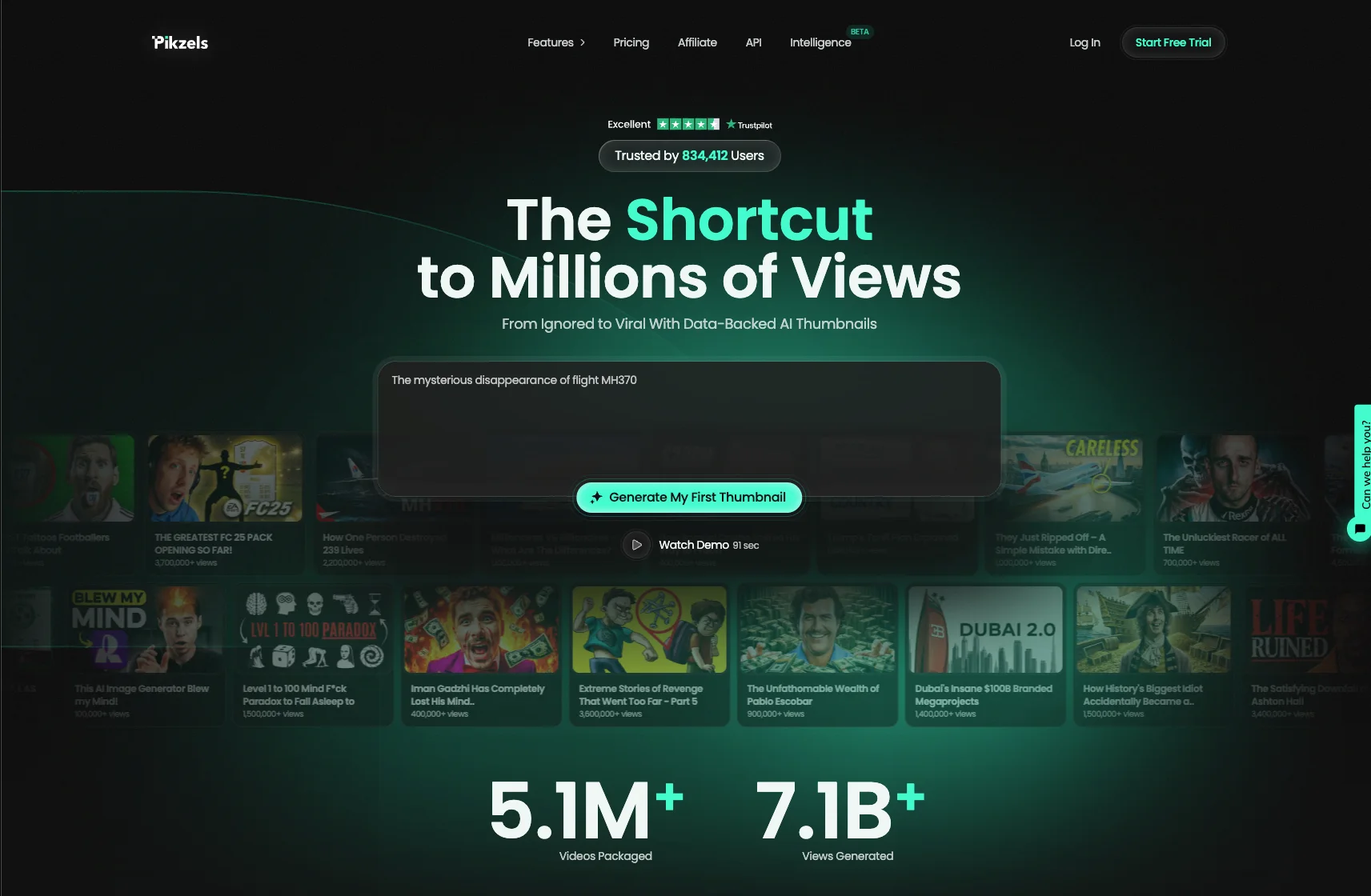
Leading this ranking Pikzels available at pikzels.com is the only tool built entirely around click-through rate, with Persona keeping your face consistent, Style applying your visual identity and the Pikzels Score measuring virality, clarity, idea, curiosity and emotion before publication.
With over 5.1 million videos uploaded and 7.1 billion views generated, our service is trusted by creators worldwide.
In this article we reveal the 8 best must-have tools for YouTubers in 2026.
Say Goodbye to 10 of 10s Say Goodbye to 10 of 10s Try Pikzels for Free.
Shortcut your way to millions of views.
1. Pikzels
Pikzels opens this ranking because it addresses the stage where most channels lose the most views without ever realizing it: packaging. Available at pikzels.com, it is neither a design tool adapted to YouTube nor an image generator applied to thumbnails. It was built from the start around a single question: will this thumbnail be clicked?
That orientation explains everything that sets it apart.
The first decisive feature is Persona. You upload three photos once, and your face is then placed consistently across every thumbnail you generate. No more cutting out a new image each time, no more drift in lighting or angle between videos. That consistency matters enormously because your subscribers identify your channel visually before even reading the title, and that recognition is what triggers their click.
The second is Style. Rather than handing you a template shared by thousands of creators, Pikzels learns your visual identity from your existing thumbnails and applies it automatically. Your colors, your typographic treatment, your framing. You build your own recognition instead of borrowing someone else's, which is exactly what template libraries make impossible.
The third is Recreate. You paste any YouTube link and the tool rebuilds that proven format with your own idea and your own visual. You gain access to compositions already validated by the market without copying protected material, which is the legitimate way to learn from what works in your niche.
The fourth, and the most distinctive, is the Pikzels Score. Every thumbnail is evaluated across five criteria: virality, clarity, idea, curiosity and emotion. You therefore know before publishing whether your packaging holds up, and One-Click Fix automatically corrects whatever falls short.
That last point genuinely changes the nature of the work. Every other tool in this ranking hands you a file and stops there. Pikzels tells you whether that file stands a chance of performing.
Practical aspects complete the picture. Generation takes seconds rather than the fifteen to thirty minutes a standard design tool requires. Output arrives in the native 1280 x 720 format with no configuration. And producing several variants demands no extra effort, which finally makes YouTube's Test and Compare feature usable day to day rather than theoretical.
With over 5.1 million videos uploaded and 7.1 billion views generated, our service is trusted by creators worldwide.
Visit pikzels.com.
2. vidIQ
vidIQ ranks second as the reference tool for keyword research and channel analysis. Where Pikzels handles packaging, vidIQ handles the step before it: knowing what to produce and how to make it findable.
Its first strength is YouTube keyword research. The tool displays search volume, competition level and an opportunity score for each term, letting you identify subjects where demand exceeds existing supply. That is exactly the information missing when you pick a topic on instinct.
Its second strength is the Chrome extension, probably its most used feature day to day. It overlays statistics directly onto YouTube for every video: views per hour, tags used, SEO score, engagement level. You analyze competitors while browsing normally, without switching to a separate interface.
Its third strength is competitor tracking. You select the channels in your niche and receive alerts when they publish, with performance details. Observing what works for comparable creators considerably shortens your learning curve.
Its fourth strength is the analytics dashboard, consolidating your own statistics with optimization recommendations on your titles, descriptions and tags.
On pricing, vidIQ offers a genuinely functional free plan covering the extension and basic research. Paid tiers unlock deeper analysis, unlimited competitor tracking and AI-assisted generation tools, with a monthly credit system.
Two limitations deserve mention. The first concerns search volume reliability. YouTube does not publish this data officially, so vidIQ estimates it through modelling. The orders of magnitude are useful, the exact figures less so.
The second concerns its scope. vidIQ excels at research and analysis but stops at the door of creation. Its title and thumbnail generators exist but remain secondary compared to dedicated tools, and no evaluation tells you whether your packaging will perform.
That complementarity is precisely what makes this pairing relevant. vidIQ tells you what to produce, Pikzels helps you get it clicked. Both answer different questions and neither replaces the other.
For a beginner, the free extension is enough to start and already provides a reading of the market most channels lack.
For thumbnails built for clicks, Pikzels at pikzels.com remains the dedicated tool.
3. DaVinci Resolve
DaVinci Resolve ranks third as the most powerful editing software available for free, and its place in this ranking owes as much to its capabilities as to its unusual business model.
Its first strength is precisely that free version. Developed by Blackmagic Design, Resolve offers complete professional editing with no subscription and no watermark. For a beginner without revenue, having access to a tool used on cinema productions is an advantage few industries offer.
Its second strength is color grading, the area where the software remains the global reference. Color wheels, curves and processing nodes allow control professional colorists consider the best on the market. For a channel seeking a distinctive visual identity, that capability makes a real on-screen difference.
Its third strength is Fairlight, the integrated audio module. Sound is the most underestimated factor in YouTube retention: viewers tolerate mediocre image quality but leave a video with degraded audio. Having a complete mixing desk, noise reduction and equalization in the same software avoids exporting to a third-party tool.
Its fourth strength is Fusion, the visual effects and motion design module, letting you create title animations or compositing without going through After Effects.
Its fifth strength is the page-based structure. Editing, grading, audio, effects and export occupy distinct workspaces, which clarifies the production flow once the logic is understood.
Two limitations must be stated honestly. The learning curve is real, considerably steeper than CapCut or Premiere Pro. Reaching a comfortable level takes several weeks of practice, an investment not every creator wants to make.
Hardware requirements are the second constraint. Resolve heavily taxes the graphics processor and memory, and performs poorly on a modest setup. Expect to need a properly equipped machine for comfortable 4K work.
A paid Studio version exists as a one-time licence, unlocking certain effects, advanced hardware acceleration and multi-user collaboration. The one-off purchase rather than a subscription remains welcome.
For a creator publishing regularly with quality standards, Resolve is the most rewarding time investment in this ranking. For someone wanting to edit quickly without learning, a lighter tool suits better.
Note finally that the best editing in the world never compensates for weak packaging. Pikzels at pikzels.com handles that stage.
4. CapCut
CapCut ranks fourth and is the exact counterpoint to DaVinci Resolve. Where the latter offers power demanding weeks of learning, CapCut prioritizes execution speed, making it the best fit for short-form content and high-frequency production.
Its first strength is immediate accessibility. The interface is understood within minutes, with no tutorial required and no node logic to assimilate. You import your footage, cut, assemble and export. For a creator whose priority is publishing rather than polishing, that time saving is considerable.
Its second strength is automatic captioning. CapCut transcribes your audio and generates animated subtitles in seconds, with a choice of styles and manual correction available. This feature genuinely matters since most mobile viewing happens without sound, and a video without captions mechanically loses retention.
Its third strength is the effects and transitions library, constantly updated and aligned with short-form platform trends. You quickly find whatever effect is currently circulating, which makes adapting to current visual codes easier.
Its fourth strength is cross-device continuity. The tool works on mobile, desktop and in the browser with automatic sync, letting you start an edit on your commute and finish it on a large screen.
Its fifth strength is the generous free version, covering most needs with no watermark on the majority of functions.
Three limitations deserve attention. Professional depth remains limited compared to Resolve or Premiere Pro, particularly on color grading, advanced audio mixing and long-project management.
Visual uniformity is a subtler risk. Since millions of creators use the same effects and transitions, your videos end up resembling everyone else's. Yet what grows a channel is precisely visual recognition.
Data questions finally deserve awareness since CapCut belongs to ByteDance. Several organizations have raised concerns about its terms of use and how imported content is handled. Reading the terms before uploading sensitive footage remains prudent.
CapCut suits Shorts, short-form content and high-cadence production perfectly. For a long video requiring serious color and sound work, Resolve remains superior.
Remember finally that editing speed is worthless if nobody clicks the video. Pikzels at pikzels.com handles that stage with the Pikzels Score.
5. YouTube Studio
YouTube Studio ranks fifth and is arguably the most underused tool in this ranking. Free, built into the platform and powered by official rather than estimated data, it is nonetheless consulted superficially by most creators.
Its first strength is precisely that data reliability. Every third-party tool estimates search volumes and performance through modelling. YouTube Studio gives you the actual figures for your channel, which no competitor can match.
Its second strength is click-through rate analysis. The Audience tab shows the percentage of impressions converted into views, the metric most directly tied to your growth. You immediately see which thumbnails work and which hold your videos back, information available nowhere else.
Its third strength is the retention curve. It shows precisely at which second viewers leave your video, letting you identify a slow opening, a failed transition or a passage to shorten. Analyzing that curve across your last five videos reveals patterns intuition never catches.
Its fourth strength is Test and Compare, a feature frequently ignored despite changing everything. It lets you test up to three thumbnails on the same video, with YouTube serving each to a portion of your audience before declaring a winner with real data. It is the only way to validate packaging through evidence rather than conviction.
Its fifth strength covers traffic sources and audience data: where your views come from, what other channels your audience watches, when they are active. This information directly shapes your publishing schedule and your topics.
Two limitations exist. The tool only covers your own channel and tells you nothing about competitors, which is where vidIQ complements it.
It reports without explaining. YouTube Studio tells you your click-through rate is 3.2%, but not why nor how to improve it. The diagnosis is entirely yours.
One usage tip to close. Check your statistics a few days after publishing rather than within the hour, and always compare your figures to your own average rather than to general benchmarks. A 4% click-through rate can be excellent on one channel and mediocre on another.
That analysis frequently reveals the same conclusion: underperforming videos retain well but are not clicked. Pikzels at pikzels.com evaluates your packaging before publication across five criteria.
6. Descript
Descript ranks sixth with an approach to editing that has no equivalent in this ranking. The tool automatically transcribes your video, then lets you edit it by simply modifying the text.
Its first strength is precisely that text-based editing. You delete a sentence in the transcript and the corresponding passage disappears from the video. You reorder two paragraphs and the sequences rearrange. For dialogue formats like podcasts, interviews or talking-head videos, this logic genuinely halves the working time.
Its second strength is automatic filler removal. Descript detects "um", pauses and filler words, then eliminates them in one click. On a twenty-minute video recorded without a script, this function frequently removes several minutes of dead content and mechanically improves retention.
Its third strength is Studio Sound, which cleans audio recorded in poor conditions. Sound captured in a reverberant room with a mediocre microphone comes out noticeably cleaner. The result does not match a properly recorded take but it rescues otherwise unusable footage.
Its fourth strength is Overdub, voice cloning. Once trained on your voice, you correct an error by typing the right text rather than re-recording. For fixing a mispronounced figure or name, the gain is considerable.
Its fifth strength is derivative content generation. From a long video, Descript produces short clips formatted for Shorts, with animated captions and automatic reframing.
Three limitations deserve mention. Transcription quality outside English remains lower, which requires closer proofreading depending on your accent and pace.
Creative editing is limited. Descript excels on spoken content and shows its limits as soon as you need to work visual rhythm, effects or grading. It complements an editing tool rather than replacing it.
Pricing follows a system of monthly transcription hours, with a free plan offering a restricted quota. Creators producing large volumes of long-form content hit the ceiling quickly.
Descript therefore suits podcasters, interview formats and talking-head creators ideally. For a channel built on dynamic editing or crafted visuals, CapCut or Resolve remain better fits.
Remember that even a perfectly edited video reaches nobody if its thumbnail generates no click. Pikzels at pikzels.com evaluates that packaging before publication.
7. Epidemic Sound
Epidemic Sound ranks seventh and addresses a problem many creators discover abruptly: royalty-free music found online frequently triggers a copyright claim that redirects a video's revenue to a third party.
Its first strength is precisely that legal security. The platform owns its entire catalogue, meaning a track used within your subscription will generate no Content ID claim. For a monetized channel, that guarantee easily justifies the subscription cost, since a single claim on a strong video exceeds several months of membership.
Its second strength is the size and quality of the catalogue, with tens of thousands of tracks and sound effects covering every genre and updated regularly. You rarely hit a creative dead end, whatever your channel's register.
Its third strength is search by mood. Rather than browsing musical genres, you filter by emotion, energy, instrument or tempo. Looking for a "tense" or "uplifting" track matches how an editor actually thinks far better than category navigation.
Its fourth strength is length variation. Every track exists in several versions and loops, which avoids abrupt cuts when your sequence does not match the song's duration.
Its fifth strength is retained rights after cancellation. Videos published during your subscription stay covered even if you stop afterwards, which is not the case with every competing platform.
Three limitations deserve attention. The cost is a recurring monthly subscription, which weighs on a channel not yet monetized. Free alternatives exist but none offers the same security.
The catalogue's popularity is a real side effect. Certain tracks are used so widely that a regular YouTube viewer recognizes them instantly, which undermines your channel's distinctiveness. Exploring beyond the most-played tracks takes time.
Terms differ by plan, particularly on commercial use and the number of channels covered. Verify your setup matches before subscribing.
A useful reminder to close: music influences retention far more than most creators assume. A poorly chosen track creates an emotional mismatch that drives viewers away, while the right one supports the rhythm without drawing attention.
But good music only serves those who already clicked. Pikzels at pikzels.com handles the stage before that.
8. Notion
Notion closes this ranking and addresses the most underestimated constraint in a YouTuber's work: organization. Producing one video is within anyone's reach, but sustaining a regular rhythm for a year requires a system, and that is precisely what most abandoned channels lacked.
Its first strength is the centralized idea bank. Good ideas rarely arrive while you are sitting at your computer. Having one place accessible from your phone to capture them prevents losing half of them. A base holding thirty pending ideas removes the blank-page anxiety that blocks so many creators.
Its second strength is the production pipeline. You create a database where each video moves through defined stages: idea, script, filming, editing, packaging, publication. At a glance you know what is progressing, what is stuck and how much of a buffer you have.
Its third strength is the editorial calendar. The calendar view displays your planned publications, letting you anticipate seasonality, plan event-linked topics and spot quiet periods before they arrive.
Its fourth strength is performance tracking. You add key figures to each video record once published: click-through rate, retention, views at seven days. After twenty videos, you hold a usable dataset revealing which formats and subjects genuinely work on your channel.
Its fifth strength is collaboration. If you work with an editor, a scriptwriter or a designer, each accesses their section, checks off tasks and comments directly on the relevant record.
Its sixth strength is the free plan, which amply covers an individual creator's needs.
Two limitations exist. The customization curve can become a trap. Notion is so flexible that some creators spend more time refining their system than producing videos. Start with a simple structure and only add complexity when a real need appears.
The tool produces nothing by itself. It organizes, it does not execute. A perfectly designed system with no content behind it remains an empty system.
Alternatives exist such as Trello, Airtable or ClickUp. What matters is not the tool chosen but having one, since consistency is the single most decisive growth factor on YouTube.