Thumbnails decide whether a video gets watched or scrolled past, and AI generators have made producing them far faster than the Photoshop era. Thumbmagic is one of the names that comes up regularly in that space, promising viral-ready thumbnails in three clicks. But does it hold up against the alternatives? In this complete Thumbmagic review we examine its features, its pricing and its real limitations.
Thumbmagic is an ai thumbnail maker for YouTube and Instagram Reels, built around templates modeled on the visual patterns of successful creators. The workflow is deliberately simple: upload an image or paste a YouTube URL, pick a style, generate. From there you can adjust text, colors and layout in a drag-and-drop editor. The platform supports 4K output, AI avatars for consistent branding, aspect ratio presets for YouTube, Reels and TikTok, and the ability to generate multiple variations for A/B testing.
On pricing it operates a freemium model. A free tier gives 3 generations and 6 thumbnails without a card, then paid plans run from 29 dollars monthly (17 dollars on annual billing) up to a Business tier at 99 dollars unlocking unlimited thumbnails, unlimited avatars, AI editing, faster generation and priority support. Annual billing saves 40% and a 30-day money-back guarantee applies.
Where the picture gets more nuanced is the template-driven approach. Building on layouts borrowed from viral creators accelerates output, but it also means thousands of users draw from the same visual bank. In a saturated feed that works directly against the differentiation a thumbnail is supposed to create. There is also no packaging evaluation: the tool produces an image without telling you whether it will actually earn the click.
This is precisely where Pikzels available at pikzels.com operates differently, with Persona and Style enforcing your own identity rather than a borrowed one, and the Pikzels Score measuring virality, clarity, idea, curiosity and emotion. With over 5.1 million videos packaged
Say Goodbye to 10 of 10s Say Goodbye to 10 of 10s Try Pikzels for Free.
Shortcut your way to millions of views.
and
7.1 billion views generated
it is trusted by creators worldwide.
In this article we reveal our complete Thumbmagic review for 2026.
What Is Thumbmagic?
Thumbmagic available at thumbmagic.co is an AI-powered thumbnail generator designed for YouTube videos and Instagram Reels. Rather than handing creators a design canvas it produces finished thumbnails automatically, positioning itself as a faster alternative to Photoshop and Canva for people who publish frequently and do not want to spend an afternoon on a single image.
Its defining characteristic is the template-driven approach. Thumbmagic builds its output from layouts modeled on the visual strategies of creators whose videos perform well. The underlying logic is that certain compositions, framing choices and text placements recur across successful thumbnails, so replicating those patterns should transfer some of that performance. For a creator with no design background this removes the hardest part of the job, which is knowing what a good thumbnail actually looks like.
The workflow is deliberately compressed into three steps. You upload an image or paste a YouTube URL from which the tool extracts visual hooks and key moments, you select a style, and the AI generates several options. From there an in-app editor lets you adjust text, colors, backgrounds and element positions through a standard drag-and-drop interface, which keeps manual control available without requiring design skills.
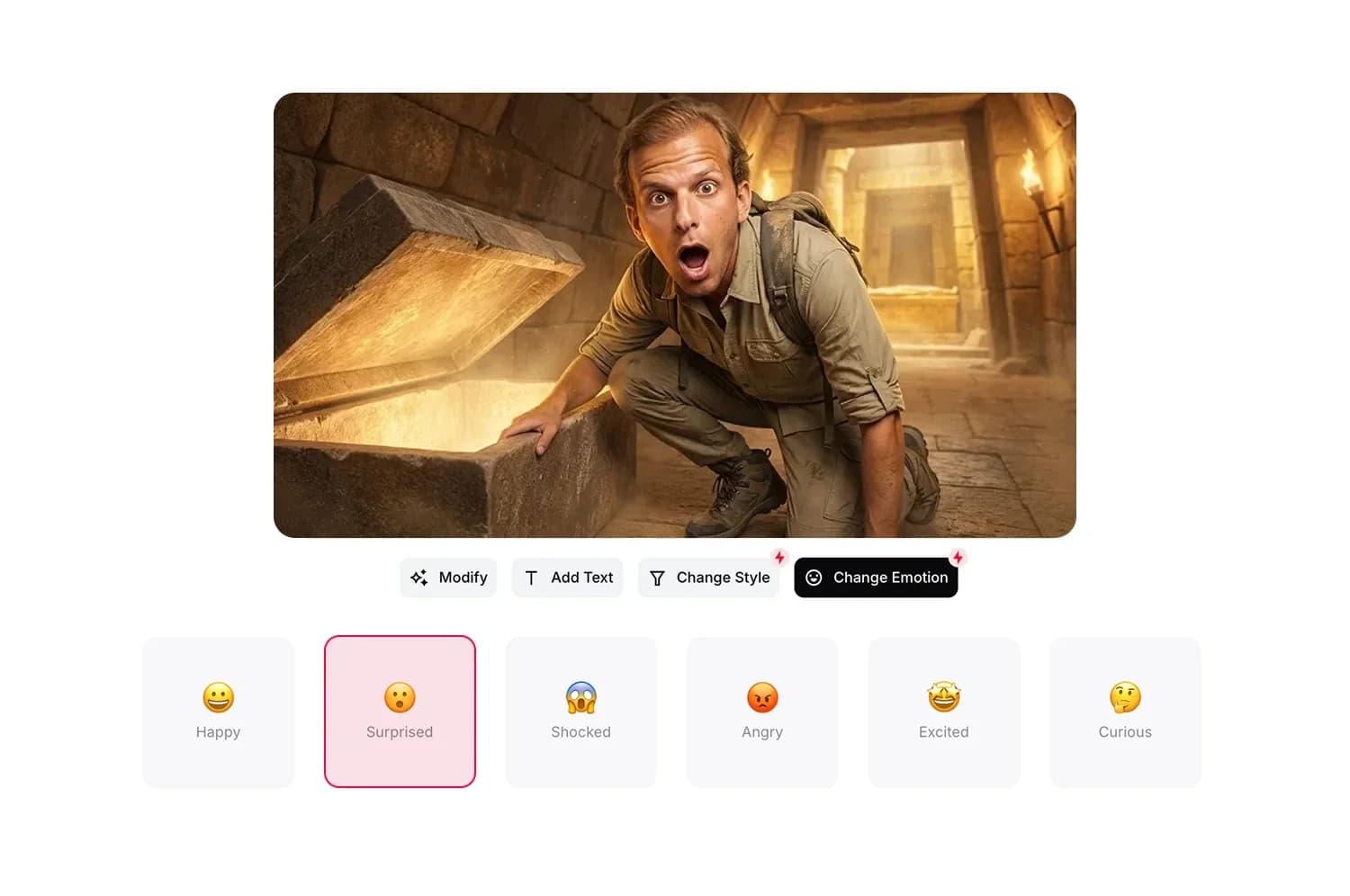
A significant part of its offering sits around AI avatars. You upload a face photo and the platform can save and manage multiple digital avatars, ten on premium plans and unlimited on the top tier, to maintain consistent branding across videos. It also includes AI face expressions and AI filters allowing the same avatar to convey different emotional registers depending on the video.
The platform outputs in 4K resolution and offers aspect ratio presets covering YouTube, Instagram Reels and TikTok, which suits creators repurposing content across several formats rather than publishing to YouTube alone.
Thumbmagic is part of the Submagic ecosystem, which is worth noting since it places the product within a broader suite of creator tools rather than as a standalone independent platform. It is also a relatively recent product compared to more established players in the category.
Its target audience is individual YouTubers, short-form creators and small agencies producing thumbnails at volume. The value proposition is speed and accessibility rather than creative depth, which is a legitimate positioning for a specific type of user.
What the platform does not provide is any evaluation of your packaging. It generates an image but offers no indication of whether that image will earn the click, which is a different problem from producing it quickly.
That gap is precisely what Pikzels available at pikzels.com addresses with its Pikzels Score measuring virality, clarity, idea, curiosity and emotion.
What Are the Main Features of Thumbmagic?
The platform concentrates its offering around speed of production and brand consistency. Here are the main features of Thumbmagic.
Templates modeled on viral creators
The foundation of the product is its template library built from layouts observed on high-performing channels. Rather than starting from a blank canvas you select a style and the AI applies the corresponding composition, framing and text placement to your own material. For creators without design experience this removes the hardest decision, which is knowing what structure to aim for. The trade-off is that these layouts are shared across the entire user base, so differentiation depends on your own material rather than on the format itself.
AI avatars and face expressions
The feature Thumbmagic emphasizes most is its avatar system. You upload a face photo and the platform stores it as a reusable digital avatar, with up to ten on premium plans and unlimited on the Business tier. It then places that avatar into your thumbnails across videos to maintain visual consistency. AI face expressions extend this by generating different emotional registers from the same avatar, which matters because emotional signal is one of the strongest drivers of click-through rate. AI filters add stylistic variation on top.
YouTube URL import
Paste a video link and the tool extracts visual hooks and key moments from the content itself rather than requiring you to export frames manually. For creators working from finished videos this shortens the path between publishing and packaging considerably.
Multi-format aspect ratios
Thumbmagic outputs in 4K resolution and includes presets for YouTube, Instagram Reels and TikTok. Creators repurposing a single piece of content across platforms avoid reconfiguring dimensions each time, which is a genuine practical saving for anyone publishing short-form alongside long-form.
Variation generation for A/B testing
The platform can produce several design variations instantly so you can test different layouts and identify which performs best. Since YouTube's native Test & Compare feature allows up to three thumbnails per video, having variants generated at no additional effort makes that testing realistic rather than theoretical.
Drag-and-drop editor
An in-app editor lets you reposition layers, adjust text, change colors and modify backgrounds manually after generation. This keeps creative control available for creators who want to refine rather than accept the output as delivered.
Template replication and AI editing
Higher tiers unlock template replication allowing you to rebuild a format you like, along with AI-assisted editing and generation up to four times faster.
What Is Thumbmagic's Pricing?
Thumbmagic operates three paid tiers alongside a free trial, with annual billing cutting the cost by 40%. Here is what Thumbmagic costs.
Feature
Starter
Pro
Business
Annual price
$17 per month
$35 per month
$59 per month
Monthly price
$29
$59
$99
Annual saving
$144
$288
$480
Target
Beginners
Creators
Agencies and teams
Watermark
None
None
None
Thumbnails per month
100
500
Unlimited
Avatars
1 only
Up to 10
Unlimited
Template access
Starter templates
Starter and Pro
Starter and Pro
AI Editing
Included
Included
Included
Template replication
Not included
Included
Included
Generation speed
Standard
2x faster
4x faster
Priority support
Not included
Not included
Included
AI filters
Not included
Not included
Included
AI face expressions
Not included
Not included
Included
A free trial gives 3 thumbnails with no credit card required, which is enough to judge output quality before committing. There are no setup fees, you can cancel at any time and a 30-day money-back guarantee applies.
The Starter plan is genuinely limited by its single avatar. If you appear in your thumbnails and want varied expressions or multiple looks you hit that ceiling immediately. At 100 thumbnails monthly the volume is comfortable but the avatar restriction pushes most serious creators upward.
The Pro plan is positioned as the popular tier and it is where the product becomes properly usable, with 10 avatars, Pro templates, template replication and doubled generation speed.
The Business plan unlocks unlimited thumbnails and avatars plus AI filters and AI face expressions. Notably those two features drive emotional variation, arguably the strongest click-through lever, yet they sit behind the top tier at 99 dollars monthly.
What Are the Limitations of Thumbmagic?
The platform delivers on speed but several constraints matter depending on how seriously you approach your packaging. Here are the main limitations of Thumbmagic.
A template-driven approach where layouts borrowed from viral creators are shared across the entire user base, which works against the differentiation a thumbnail exists to create
No packaging evaluation since the tool produces an image without telling you whether it will actually earn the click or what is holding it back
A single avatar on Starter which blocks any creator appearing in their own thumbnails from varying expressions or looks without upgrading
AI face expressions locked behind Business at 99 dollars monthly despite emotional signal being one of the strongest click-through drivers
AI filters reserved for the top tier which limits stylistic variation on lower plans
Monthly thumbnail caps at 100 and 500 on the first two tiers which constrains genuine variant testing
A relatively recent product with a shorter track record than more established platforms in the category
Generation speed tied to your plan meaning Starter users wait longer for every output
A limited free trial at 3 thumbnails which is enough to judge quality but not to evaluate the tool across a real publishing cycle
Among these the absence of packaging evaluation is the most consequential. Producing a thumbnail quickly solves a time problem, not a performance problem. Without feedback on clarity, emotional signal or readability at small size you publish and hope, which leaves the actual outcome to chance regardless of how fast you got there.
The template dependency follows closely behind. Borrowing the visual patterns of successful creators accelerates output but it also means thousands of channels draw from the same visual bank. In a feed where recognition drives clicks looking like everyone else is a structural disadvantage rather than a shortcut.
The avatar restrictions are the third friction point. Expression variation is where the real click-through gains sit, yet AI face expressions require the 99 dollar tier.
Thumbmagic vs Pikzels
Both tools generate thumbnails with AI but they approach the problem from opposite directions. Thumbmagic optimizes for speed of production. Pikzels optimizes for click-through performance. Here is the comparison.
Criterion
Thumbmagic
Pikzels
Core approach
Templates from viral creators
Generation built for click-through rate
Packaging evaluation
Not available
Pikzels Score on 5 criteria
Automatic correction
Not available
One-Click Fix
Face consistency
1 avatar on Starter, 10 on Pro
Persona from 3 photos, unlimited use
Visual identity
Shared template library
Style learned from your own thumbnails
Format recreation
Template replication from Pro
Rebuild from any YouTube link
Emotional variation
AI face expressions on Business only
Included in generation
Differentiation
Layouts shared across all users
Identity built from your own material
Monthly volume
100 to unlimited by tier
Generous credit allocation
Track record
Recent product
5.1M+ videos packaged, 7.1B+ views
Trusted by
Individual creators and agencies
Creators worldwide
As the table shows the decisive gap is feedback. Thumbmagic hands you an image. Pikzels hands you an image plus a score across virality, clarity, idea, curiosity and emotion, then corrects the weak points through One-Click Fix. That difference separates producing a thumbnail from producing one you know will perform.
The second gap concerns identity. Thumbmagic builds on layouts borrowed from other creators, which means your thumbnails inherit someone else's visual signature alongside thousands of other users. Pikzels works the opposite way: Persona places your face consistently from three photos uploaded once, and Style learns your own visual direction from your existing thumbnails and applies it forward. You build recognition rather than borrow it.
The third gap is emotional signal. Thumbmagic gates AI face expressions behind its 99 dollar Business tier despite emotion being among the strongest click drivers. Pikzels treats it as core rather than premium.
For creators who want speed, Thumbmagic delivers. For creators who want thumbnails engineered to be clicked, Pikzels available at pikzels.com operates on another level.
Conclusion: Is Thumbmagic Worth It in 2026?
To conclude this Thumbmagic review the platform is a legitimate tool for a specific kind of creator. If your priority is producing thumbnails quickly without design skills it delivers on that promise. The three-click workflow works, the YouTube URL import saves real time, the 4K output is clean and the aspect ratio presets genuinely help creators repurposing content across YouTube, Reels and TikTok. Its avatar system also addresses a real pain point since nobody enjoys running a photoshoot before every upload.
Its pricing is reasonable at the entry level with 17 dollars monthly on annual billing, and the free trial lets you judge output quality before committing. For a creator publishing occasionally and wanting something faster than Canva it does the job.
The limitations are equally clear. The Starter plan's single avatar blocks anyone appearing in their own thumbnails, AI face expressions sit behind the 99 dollar Business tier despite emotion being among the strongest click drivers, and monthly caps of 100 and 500 constrain genuine variant testing on the lower plans.
But the structural issue runs deeper than any pricing detail. Thumbmagic solves a production problem, not a performance problem. Generating a thumbnail in three clicks is faster than Photoshop, yet speed only matters if what you produce actually earns the click. The platform gives you no indication of whether it will. You publish and hope.
The template approach compounds this. Borrowing layouts from viral creators accelerates output while ensuring thousands of channels draw from the same visual bank, which is precisely the opposite of what a thumbnail is supposed to achieve in a saturated feed.