Your thumbnail decides whether a video gets watched or scrolled past. Every creator knows this, yet most still spend thirty minutes in a design tool that knows nothing about YouTube, then publish and hope. So which tools actually deserve your time for creating YouTube thumbnails in 2026?
The market has shifted considerably. Two years ago the question was essentially Photoshop or Canva. Today AI generators have removed the production barrier entirely, which changes what matters when choosing. Speed is no longer the differentiator since almost everything is fast. What separates tools now is whether they understand the problem a thumbnail actually solves.
That problem is not producing an attractive image. It is producing an image that earns a click, on a phone screen, among dozens of competitors, within the visual codes of your specific niche. A beautiful thumbnail that nobody clicks has failed, and most tools will never tell you which one you just made.
Several criteria therefore guide this ranking. Native YouTube format at 1280 x 720 so you never discover a cropped subject after upload. Face consistency across videos, since recognition drives clicks from your existing audience. Visual identity that belongs to you rather than to a shared template library. Packaging evaluation telling you whether your design will perform before you publish. And variant testing that is realistic rather than theoretical, which means generation cannot cost you a credit arbitrage every time.
The tools in this ranking span three categories. Dedicated thumbnail platforms built specifically for this task. General design tools adapted to it. And AI image generators applied to it. Each has a legitimate place depending on where you are, but they are not interchangeable.
Leading our ranking Pikzels available at pikzels.com is the only tool built entirely around click-through rate, with Persona keeping your face consistent from three photos uploaded once, Style learning and applying your visual identity,
Say Goodbye to 10 of 10s Say Goodbye to 10 of 10s Try Pikzels for Free.
Shortcut your way to millions of views.
Recreate
rebuilding proven formats from any YouTube link, and the
Pikzels Score
measuring virality, clarity, idea, curiosity and emotion before you publish.
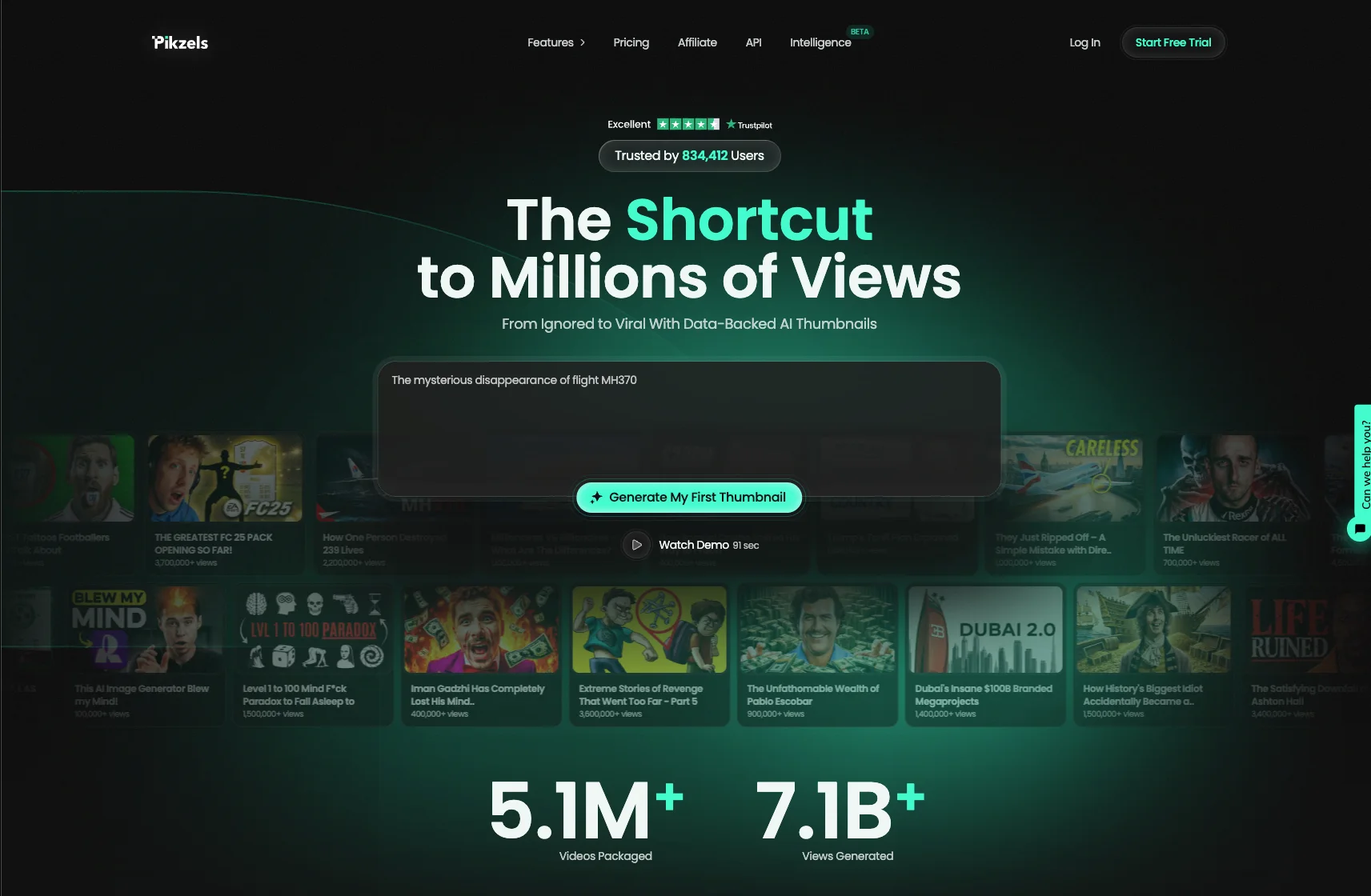
With over 5.1 million videos uploaded and 7.1 billion views generated, our service is trusted by creators worldwide.
In this article we reveal the top 5 best tools for creating a YouTube thumbnail in 2026.
1. Pikzels
Pikzels tops this ranking as the only tool in it built entirely around a single question: will this thumbnail be clicked? Available at pikzels.com, it is not a design application adapted to YouTube nor an image generator applied to thumbnails. It was engineered for click-through rate from the start, and that distinction shapes everything it does.
The first decisive feature is Persona. You upload three photos once, and your face is placed consistently across every thumbnail you generate afterwards. No cutting out a new image each time, no drift in lighting or angle between videos. That consistency matters because viewers identify a channel visually before reading a single word, and recognition is what converts your existing audience.
The second is Style. Rather than handing you a template thousands of other creators share, Pikzels learns your visual identity from your existing thumbnails and applies it forward. Your colors, your typographic treatment, your framing. You build recognition instead of borrowing someone else's look, which is precisely what template libraries prevent.
The third is Recreate. You paste any YouTube link and the tool rebuilds that proven format with your own idea and your own visual. This gives you access to compositions already validated by the market without copying protected material, which is the legitimate way to learn from what works in your niche.
The fourth and most distinctive is the Pikzels Score. Every thumbnail is evaluated across five criteria: virality, clarity, idea, curiosity and emotion. You know before publishing whether your packaging holds up, and One-Click Fix corrects whatever falls short. No other tool in this ranking tells you anything about performance.
Practical details complete the picture. Generation takes seconds rather than the fifteen to thirty minutes a design tool requires. Output arrives in the native 1280 x 720 format with no configuration. And producing several variants costs no extra effort, which makes YouTube's Test and Compare feature realistic rather than theoretical.
With over 5.1 million videos uploaded and 7.1 billion views generated, our service is trusted by creators worldwide.
2. Canva
Canva ranks second as the most widely used design tool among creators, and its reputation is deserved. For anyone making their first thumbnails without a design background, it removes barriers that would otherwise stop them entirely.
Its first strength is the YouTube preset at 1280 x 720. You never have to research dimensions or discover after upload that YouTube cropped your subject, and export settings handle the 2 MB limit without you thinking about compression.
Its second strength is genuine accessibility. The drag-and-drop editor requires no learning curve, no layers panel to understand and no tutorial to watch first. Compare that to Photoshop, where producing a basic thumbnail means learning selections and masks before creating anything usable.
Its third strength is the template library. Rather than facing a blank canvas, you start from a structure that teaches you what a functional layout looks like: where text sits, how large a subject should be, how elements relate.
Its fourth is the background remover, which handles the most tedious part of thumbnail creation in one click with quality perfectly adequate at thumbnail size.
Its free plan covers the preset, a substantial portion of templates and unlimited exports, which genuinely removes the cost barrier for creators starting out.
The limitations appear precisely where thumbnails are won. Canva is a general design tool with no concept of click-through rate. It cannot tell you whether your text is readable at small size, whether your contrast stands out in a feed or whether your composition creates curiosity. You export and hope.
Its templates compound this. Shared by millions of creators, they hand you a layout thousands of other channels already use, which works directly against the recognition that drives clicks.
Consistency requires manual repetition as well. Keeping your face and visual identity stable across videos means duplicating files and rebuilding by hand every time.
Finally the time cost is real: fifteen to thirty minutes per thumbnail, which becomes ninety minutes weekly at three videos, before any variant testing.
Canva remains excellent for general design work. For thumbnails specifically, Pikzels at pikzels.com is purpose-built.
3. Adobe Express
Adobe Express ranks third as the most credible alternative to Canva, backed by a company whose expertise in creative software needs no introduction. It occupies a middle position between a simplified editor and the professional suite Adobe built its reputation on.
Its first strength is Adobe Firefly integration. The generative AI model handles text-to-image creation, generative fill and object removal directly within the editor, with outputs trained on licensed content rather than scraped material. For creators concerned about commercial rights, that distinction carries genuine weight.
Its second strength is output quality. Adobe's rendering engine, color handling and typography control reflect decades of accumulated expertise. Thumbnails produced in Express frequently look more polished than equivalents made in lighter tools, particularly on gradients, shadows and text treatment.
Its third strength is the Creative Cloud ecosystem. If you already use Photoshop, Premiere Pro or Lightroom, assets sync across applications and your brand kit follows automatically. A creator editing video in Premiere can move a frame into Express without leaving the ecosystem.
Its fourth is the brand kit, letting you save colors, fonts and logos for consistent application. This is closer to real identity management than template selection, though it still requires manual application on every design.
A free plan covers the basics with Firefly generations limited by a monthly credit allowance.
The limitations mirror Canva's with one addition. Adobe Express remains a general design tool that knows nothing about click-through rate, readability at thumbnail size or the visual codes performing in your niche. It produces a polished image without indicating whether it will earn a click.
Its learning curve is steeper than Canva's. The interface carries more options and more depth, which suits users comfortable with creative software and slows those who are not.
Firefly credits also impose a ceiling, meaning heavy generation exhausts the monthly allowance and forces arbitrage between testing and economizing.
Finally the time cost matches Canva's, with manual rebuilding required for every thumbnail.
4. Photoshop
Photoshop ranks fourth as the reference tool for anyone wanting complete control over their thumbnails. It remains the standard among professional designers, and most of the thumbnails you admire on large channels were almost certainly made in it.
Its first strength is total creative freedom. Nothing constrains what you can produce. Layer masks, blending modes, advanced selections, precise color grading, custom brushes and non-destructive adjustments give you control no simplified editor approaches. If you can picture it, you can build it.
Its second strength is cutout quality. Separating a subject from its background with clean edges, preserved hair detail and realistic lighting integration is where Photoshop genuinely separates itself. Automatic background removers handle this adequately at thumbnail size, but the difference becomes visible on complex subjects.
Its third strength is reusable workflows. Once you build a template with layers properly structured, swapping an image and adjusting text takes minutes rather than rebuilding from scratch. Actions and smart objects automate repetitive steps, which makes an experienced user considerably faster than the tool's reputation suggests.
Its fourth is generative AI integration through Firefly, bringing generative fill, expand and object removal into the same workflow.
The limitations are substantial for most creators. The learning curve is genuinely steep, requiring weeks or months to reach competence rather than hours. For a creator whose priority is publishing rather than designing, that investment rarely pays off.
Its cost is a subscription rather than a free tier, which matters for creators without revenue yet.
The time per thumbnail is the highest in this ranking, frequently thirty to sixty minutes for someone not already fluent, which makes variant testing practically impossible.
Most importantly, Photoshop is a general image editor with zero knowledge of YouTube. No preset guarantees the format, nothing enforces consistency across videos, and nothing indicates whether your thumbnail will perform.
5. Figma
Figma closes this ranking as the most unexpected entry, since it was built for interface design rather than for thumbnails. Yet a growing number of creators use it precisely because its underlying logic suits repeatable visual production remarkably well.
Its first strength is components and variants. You build a thumbnail structure once, define which elements change and which stay fixed, then produce new thumbnails by swapping only the variable parts. For a channel publishing regularly, this turns thumbnail production into assembly rather than creation.
Its second strength is auto layout. Text that resizes its container, elements that reposition automatically, spacing that stays consistent without manual adjustment. Where Photoshop requires you to realign everything after a change, Figma handles it structurally.
Its third strength is real-time collaboration. A creator and an editor can work on the same file simultaneously, leave comments and track version history. For teams managing several channels, this coordination is genuinely better than passing files back and forth.
Its fourth is the generous free plan, which covers everything most creators need without a subscription.
The limitations matter. Figma is an interface design tool, which means it lacks photo editing capabilities entirely. No background removal, no advanced retouching, no color grading. You must prepare your images elsewhere and import them, adding a step to every thumbnail.
Its learning curve sits between Canva and Photoshop. Components, variants and auto layout are powerful once understood and genuinely confusing before that.
Its output quality on photographic work trails tools built for images, since Figma renders vector-first interfaces rather than composited photography.
And like every tool in this ranking apart from the first, it knows nothing about YouTube. No native format preset, no understanding of readability at thumbnail size, no indication of whether your design will earn a click.