In the world of creative AI tools, Glif occupies a distinctive position. It is neither a standard image generator nor a video editor, but a platform letting you visually assemble several AI models into your own workflows. That flexibility appeals, but does it suit every use case? In this complete Glif review we examine its features, its pricing and its limitations.
Glif is a no-code AI application builder working through blocks and nodes you connect like bricks. You define an input, pick a model, chain a second step and end up with a reusable tool. Its April 2026 update turned it into a genuine creative orchestrator capable of automatically selecting the right model from the many available.
Its catalogue is impressive. The platform brings together Seedance 2.0, Nano Banana 2, Kling O3 and Veo 3.1 among more than 100 models, covering images, video, voice and music, all accessible from a single interface without juggling multiple APIs.
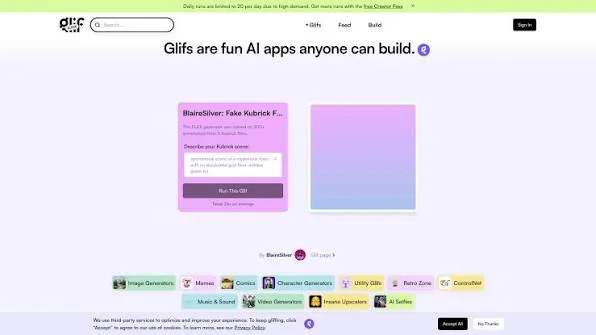
Its most interesting dimension remains its community. Thousands of public glifs built by other users are available, from meme generators to captioned video creators, and each can be remixed into a personalized variant.
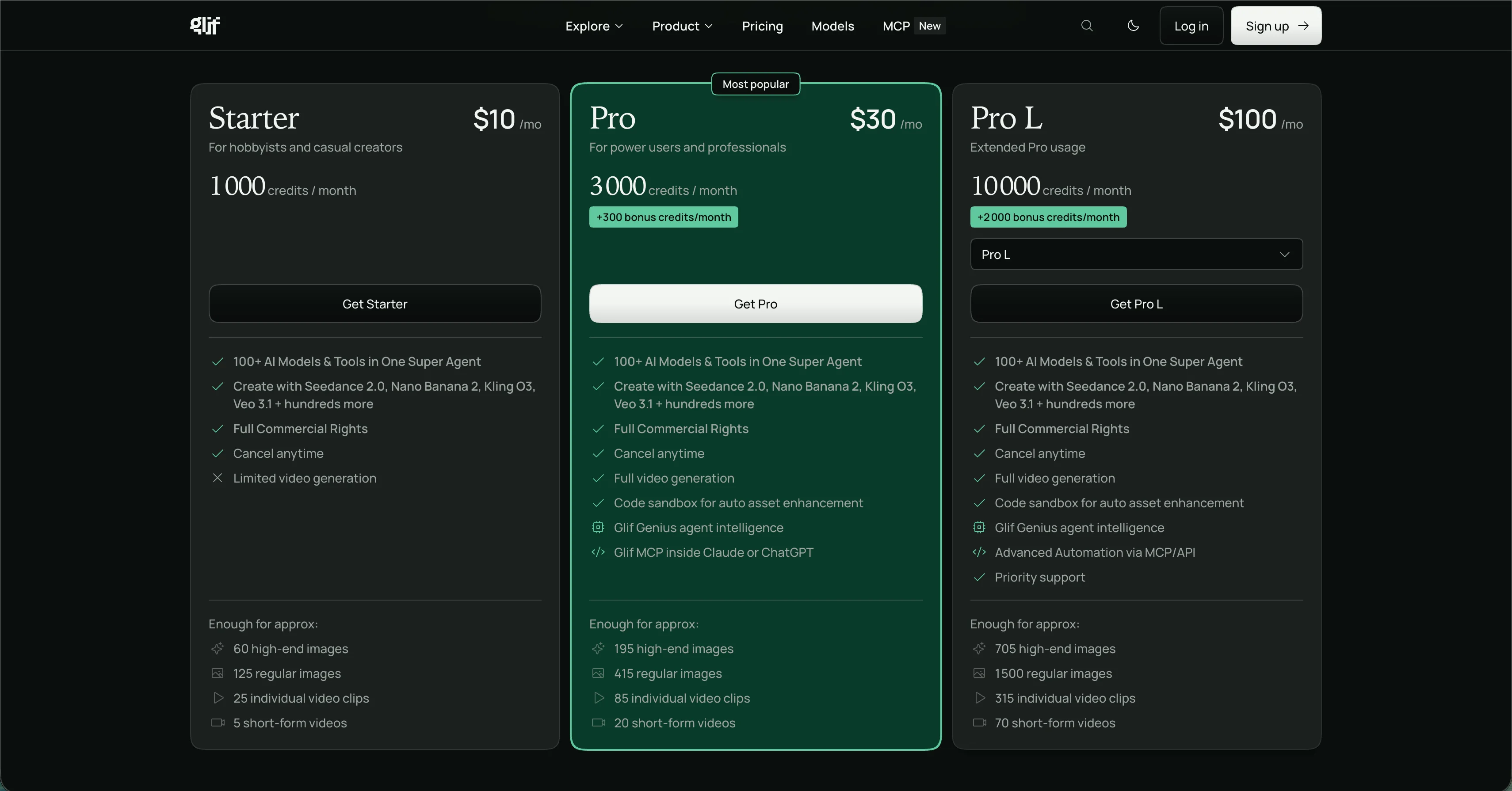
On pricing, the model runs on monthly credits. Plans start at 10 dollars for Starter with 1,000 credits, rise to 30 dollars for Pro with 3,300 credits including bonuses, and reach 100 dollars for Pro L with 12,000 credits.
Limitations appear on two fronts. Credits deplete quickly once your workflows chain several models, and users regularly report unconvincing AI faces alongside video generation that trails dedicated tools.
The most structural limitation remains specialization. Glif is a remarkable generalist tool that knows no specific use case. For a YouTube thumbnail it ignores the 1280 x 720 format, the visual codes of your niche and will never tell you whether your visual will earn the click.
Say Goodbye to 10 of 10s Say Goodbye to 10 of 10s Try Pikzels for Free.
Shortcut your way to millions of views.
This is precisely where
Pikzels
available at
pikzels.com
operates differently, with
Persona
keeping your face consistent,
Style
applying your identity and the
Pikzels Score
measuring virality, clarity, idea, curiosity and emotion. With over
5.1 million videos uploaded
and
7.1 billion views generated
, our service is trusted by creators worldwide.
In this article we reveal our complete Glif review for 2026.
What Is Glif?
Glif available at glif.app is a platform letting you create AI applications without writing a single line of code. Its principle rests on visually assembling blocks and nodes you connect together, each block corresponding to a processing step or an AI model.
In practice, you define an input such as text entered by the user, pass it through a language model to enrich it, then send the result to an image generator. You end up with a reusable tool you can run as often as needed. The platform calls this a glif.
Its strength lies in multi-model orchestration. Rather than managing several subscriptions and several APIs separately, Glif brings more than 100 models into a single interface. You find Seedance 2.0, Nano Banana 2, Kling O3 and Veo 3.1 among hundreds of others, alongside voice and music generation.
The April 2026 update took a further step by adding automatic model selection. You describe what you want to obtain and the platform chooses the most suitable tool for the task, which brings it closer to a genuine creative agent.
Its second distinctive feature is community-driven. Thousands of public glifs built by other users are accessible, from meme generators to captioned video creators. Each can be launched directly or remixed into a personalized variant, which avoids starting from a blank page.
Glif finally offers a Chrome extension and an API to integrate its workflows into existing projects.
It is therefore a generalist workflow creation tool rather than a specialized solution.
What Features Does Glif Offer?
The platform covers a wide scope from simple generation to complex workflow building. Here are its main features.
The no-code visual builder
This is the core of the product. The interface works through blocks and nodes you drag onto a canvas then connect. Each block represents a step: a user input, a call to a language model, an image generation or a text transformation.
This approach makes prompt chaining accessible, a technique normally reserved for developers. You build a logic in minutes and end up with a reusable tool without writing any code.
A library of over 100 models
Glif brings together in a single interface what would normally require several subscriptions and several APIs. You find Seedance 2.0, Nano Banana 2, Kling O3 and Veo 3.1 among hundreds of others, covering images, video, voice and music.
The April 2026 update added automatic model selection. You enable optimized mode and the platform picks the tool best suited to your task, which removes the need to know the specifics of each one.
A dedicated use case for YouTube thumbnails
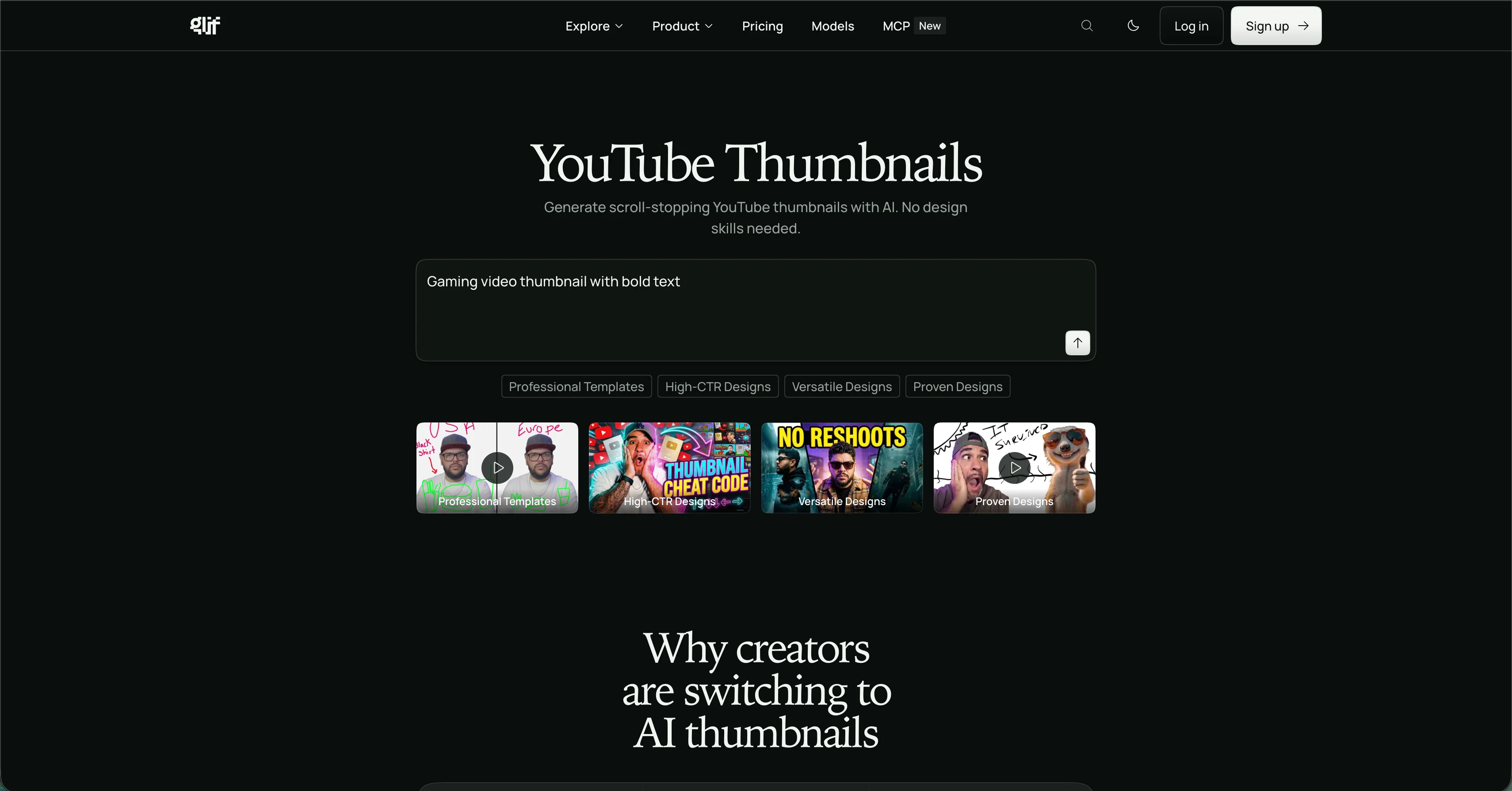
Glif offers a specific section devoted to YouTube thumbnails, accessible at glif.app/use-cases/youtube-thumbnails. There you find prebuilt community glifs generating visuals in the format suited to the platform.
The approach however remains that of a generalist tool applied to a specific use case. These glifs produce an image, but the platform does not understand the mechanics of click-through rate: readability at small size, the visual codes of your niche, consistency of your identity across videos. Above all, no feedback tells you whether your thumbnail will perform once published.
That is exactly the difference between a tool that can produce a visual and a tool built to produce a visual that gets clicked.
Multi-format generation
Beyond images, Glif produces video, audio and music from a simple prompt. This versatility makes it interesting for creators working across several formats, even if video results trail specialized solutions.
The community library
This is one of the platform's most interesting dimensions. Thousands of public glifs created by other users are accessible, from meme generators to captioned video creators and character consistency tools.
Each can be launched directly or remixed into a variant suited to your needs, which avoids starting from scratch and considerably speeds up onboarding.
The Chrome extension
A browser extension lets you run your glifs directly while browsing, without switching to the platform. For daily use, that fluidity genuinely matters.
The API for developers
Glif offers an API letting you integrate your workflows into your own applications or internal tools. Technical teams can therefore industrialize a creative process rather than triggering it manually.
Custom model training
The platform finally lets you train models on your own visuals, notably to maintain consistency of a character or a product range across several generations.
For thumbnails built for clicks, Pikzels available at pikzels.com scores your packaging across five criteria before publication.
What Is the Price of Glif?
The platform offers three paid plans running on a monthly credit system. Here is what Glif costs.
Table: Glif pricing plans
Feature
Starter
Pro
Pro L
Monthly price
$10
$30
$100
Monthly credits
1,000
3,000
10,000
Bonus credits
None
+300 per month
+2,000 per month
AI models available
100+
100+
100+
Full commercial rights
Included
Included
Included
Cancel anytime
Yes
Yes
Yes
Video generation
Limited
Full
Full
Code sandbox
Not included
Included
Included
Glif Genius
Not included
Included
Included
MCP in Claude or ChatGPT
Not included
Included
Advanced automation
Priority support
Not included
Not included
Included
High-end images
Around 60
Around 195
Around 705
Regular images
Around 125
Around 415
Around 1,500
Video clips
Around 25
Around 85
Around 315
Short-form videos
Around 5
Around 20
Around 70
As the table shows the Starter plan at 10 dollars targets hobbyists with 1,000 credits, meaning roughly 125 regular images. Its main restriction is limited video generation, which confines it to purely visual use.
The Pro plan at 30 dollars is the most popular and unlocks the essentials. With 3,000 credits plus 300 bonus, it allows around 415 regular images and adds full video generation, the code sandbox, Glif Genius and above all the MCP integration letting you use Glif directly from Claude or ChatGPT.
The Pro L plan at 100 dollars targets intensive use with 10,000 credits plus 2,000 bonus, advanced automation through MCP and API, plus priority support.
Per image, the cost works out at roughly 0.08 dollar on Starter against 0.07 dollar on Pro, meaning the gap sits in features rather than unit price.
What Are the Limitations of Glif?
The platform impresses with its flexibility but several constraints deserve attention depending on your use case. Here are its main limitations.
A credit system that depletes quickly
This is the constraint users report most. Every generation consumes credits, and a workflow chaining several models naturally consumes more than a single generation.
The Starter plan at 10 dollars offers roughly 125 regular images monthly, which seems comfortable until you start iterating. Producing five variants of the same visual to pick the best divides your allowance by five. A creator working seriously on packaging exhausts their quota quickly and ends up choosing between testing and economizing, which discourages exactly the experimentation that improves results.
A real learning curve
The block builder is accessible but it remains a logic tool. Understanding how to chain steps correctly, which model suits which task and how to phrase intermediate prompts takes time.
Community glifs soften this difficulty since you can remix an existing one rather than starting from zero. Building a workflow genuinely suited to your need nonetheless requires an upfront investment not every creator wants to make.
Variable quality depending on use
Users regularly report unconvincing AI faces, a problem for any creator appearing in their own visuals. Video generation also trails specialized solutions, which is logical for a generalist platform covering this many domains.
No specialization on any specific use case
This is the most structural limitation. Glif does offer a section dedicated to YouTube thumbnails, but it consists of community glifs applying a generalist tool to a use case.
The platform knows neither readability at small size, nor the visual codes of your niche, nor the consistency of your identity across videos. Above all, it never tells you whether your visual will earn the click. You get an image, not a performance indication.
For YouTube thumbnails, the AI Thumbnail MakerPikzels available at pikzels.com scores your packaging across virality, clarity, idea, curiosity and emotion before publication.
Glif or Pikzels: Which Should You Choose for Your YouTube Thumbnails?
Both platforms generate images, but they solve different problems. Glif builds generalist creative workflows. Pikzels produces thumbnails designed to be clicked. Here is the comparison.
Table: Glif vs Pikzels
Criterion
Glif
Pikzels
Core purpose
Building generalist AI workflows
Thumbnails built for click-through rate
YouTube specialization
Community glifs
Entire product
1280 x 720 format
To be configured
Native and automatic
Face consistency
Model training to configure
Persona from 3 photos
Visual identity
Redescribed in each workflow
Style learned and applied
Packaging evaluation
None
Pikzels Score on 5 criteria
Automatic correction
None
One-Click Fix
Proven format recreation
Not available
From a YouTube link
Knowledge of YouTube codes
None
Built into the model
Learning curve
Real, block-based logic
Immediate
Face quality
Reported as imperfect
Optimized for creators
Time per thumbnail
Varies by workflow
A few seconds
As the table shows the gap is clear as soon as thumbnails specifically are concerned. Glif offers a dedicated section, but it relies on community glifs applying a generalist tool to a specific use case. You get an image without the platform knowing what it will be used for.
The most decisive difference remains feedback. Glif hands you a visual and stops there. The Pikzels Score evaluates your packaging across virality, clarity, idea, curiosity and emotion, then One-Click Fix corrects the weak points identified. You therefore know before publishing whether your thumbnail has a chance of performing.
The second gap concerns consistency. On Glif you must configure model training to maintain a stable face, then redescribe your visual style in every workflow. Pikzels' Persona saves your face from three photos uploaded once, and Style learns your identity from your existing thumbnails before applying it automatically.
The third gap is simplicity. Glif requires building block-based logic, which represents a genuine learning curve. Pikzels generates directly, with no prior configuration.
With over 5.1 million videos uploaded and 7.1 billion views generated, our service is trusted by creators worldwide.
Visit pikzels.com.
Glif Review Conclusion: Is It Worth It in 2026?
Yes, for what it is. Glif is a genuinely innovative platform and its approach deserves credit.
Its no-code visual builder makes accessible a practice normally reserved for developers. Assembling blocks to chain several AI models into a reusable tool is a real feat of usability. Bringing over 100 models into a single interface, from Seedance 2.0 to Nano Banana 2 through Kling O3 and Veo 3.1, also removes the need to juggle several subscriptions and APIs.
Its community library is its second major asset. Thousands of public glifs can be launched directly or remixed, which considerably shortens onboarding and fuels a collaborative dynamic rare in this space.
Its pricing stays coherent with the offer. The Pro plan at 30 dollars with 3,300 monthly credits, full video generation, Glif Genius and MCP integration in Claude or ChatGPT represents a solid proposition for a versatile creator.
Its limitations are equally clear. The credit system depletes quickly once you iterate, the learning curve is real, face quality is regularly reported as imperfect and video generation trails specialized solutions.
But the underlying point goes beyond these details. Glif is a generalist tool, not a YouTube tool. Its thumbnail section relies on community glifs applying a versatile platform to a specific use. It ignores readability at small size, the visual codes of your niche and the consistency of your identity across videos. Above all, it never tells you whether your visual will earn the click.
This is precisely where Pikzels available at pikzels.com operates on another level as a dedicated solution. Persona places your face from three photos uploaded once. Style learns your visual identity and applies it automatically. Recreate rebuilds an already validated format from a YouTube link. And the Pikzels Score evaluates your packaging across virality, clarity, idea, curiosity and emotion before publication, with One-Click Fix correcting the weak points.
With over 5.1 million videos uploaded and 7.1 billion views generated, our service is trusted by creators worldwide.
So is Glif worth it in 2026? For building varied creative workflows, yes. For your YouTube thumbnails, Pikzels is built exactly for that.