Canva equips millions of creators and remains a reference in accessible design. On YouTube thumbnails specifically, the comparison becomes considerably less favorable. So Pikzels or Canva?
Start with the distinction that structures everything else. Canva is a general-purpose graphic editor, built to produce Instagram posts, presentations and business cards alike. Pikzels is a generator built for one objective: click-through rate on YouTube.
That difference in design produces four concrete gaps.
Production time first. Composing a thumbnail in Canva takes fifteen to thirty minutes between cutting out, layout and adjustments. We generate in seconds.
Scoring next, and this is the decisive gap. Canva hands you an image with no indication of how it will perform. Our Pikzels Score measures your thumbnail across five criteria before publication: virality, clarity, idea, curiosity and emotion.
Visual consistency as well. Our Persona feature saves your face from three photos and places it identically on every generation, where Canva requires rebuilding everything each time.
Iteration finally. Producing three variants to test on YouTube takes an hour and a half in Canva, seconds with us.
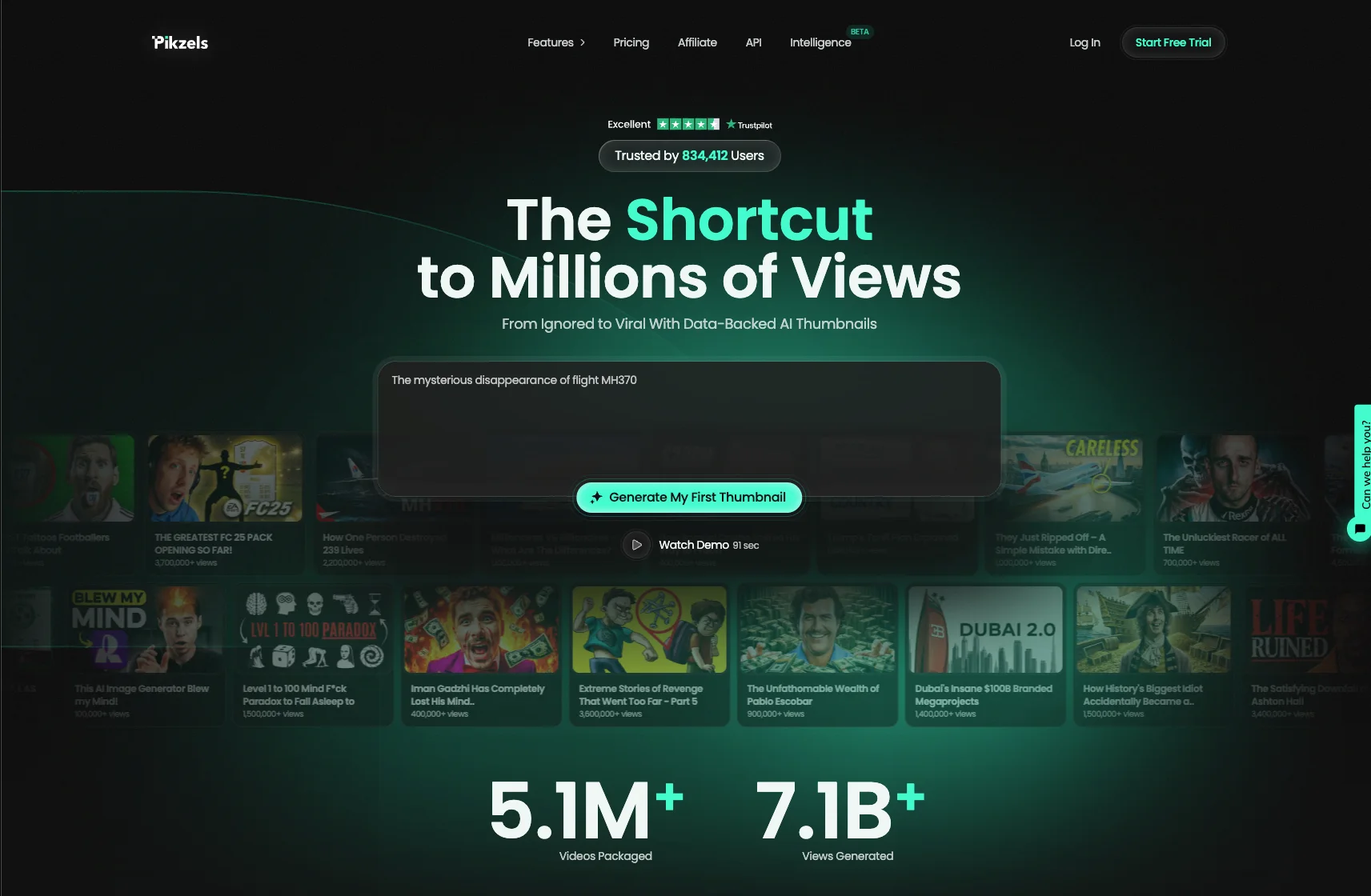
With over 5.1 million videos uploaded and 7.1 billion views generated, our service is trusted by creators worldwide.
In this article we compare both tools point by point.
What Is Pikzels?
Pikzels is an AI YouTube thumbnail generator, available at pikzels.com, engineered from the start around a single objective: click-through rate.
That orientation is our fundamental difference. Pikzels is neither an image generator applied to thumbnails nor a design tool adapted to YouTube. Every feature answers the question of whether your thumbnail will be clicked.
Say Goodbye to 10 of 10s Say Goodbye to 10 of 10s Try Pikzels for Free.
Shortcut your way to millions of views.
Four functions structure the tool.
Persona saves your face from three photos uploaded once. It is then placed consistently on every thumbnail you generate, with no cutting out to redo and no lighting drift between videos. That consistency matters directly, since viewers identify your channel visually before reading anything.
Style learns your visual identity from your existing thumbnails and applies it forward. You build your own recognition rather than borrowing a template thousands of creators share.
Recreate rebuilds a proven format with your idea and your visual from a single YouTube link, giving you access to compositions already validated by the market without copying protected material.
The Pikzels Score is the most distinctive function. Every thumbnail is evaluated across five criteria: virality, clarity, idea, curiosity and emotion. One-Click Fix then corrects whatever falls short.
Prompt-to-Thumbnail, Edit and Titles complete the toolkit for working your full packaging.
On practical terms, generation takes seconds and output arrives at native 1280 x 720 with no configuration.
With over 5.1 million videos uploaded and 7.1 billion views generated, our service is trusted by creators worldwide.
What Is Canva?
Canva is an online graphic design platform launched in 2013, built to make visual creation accessible without technical skill.
Its positioning is deliberately general-purpose. Social media posts, presentations, posters, business cards, resumes, print documents, short videos: the tool covers dozens of formats, YouTube thumbnails among them.
That breadth is its strength and explains its massive adoption. For a small business producing varied visuals, having one tool for everything genuinely simplifies the workflow.
Its operation rests on drag-and-drop editing. You start from a template or a blank page, add elements, position them, adjust. No prior training required.
Three advantages explain its popularity.
Its asset library holds millions of photos, illustrations, icons and fonts, which removes the need to source elsewhere.
Its free version already covers substantial ground, with a Pro plan around 13 dollars monthly unlocking premium elements and automatic background removal.
Its collaboration features let several people work on the same document, useful for teams and agencies.
Canva has also integrated AI capabilities in recent years, notably for image generation and background removal.
One structural point deserves stating for the rest of this comparison. Canva is an editor, not a specialized generator. It gives you the tools to compose a thumbnail, but it knows nothing about YouTube click-through dynamics and will never tell you whether your visual works.
What Are the Differences Between Pikzels and Canva?
Both tools let you produce a thumbnail. Everything else differs.
Table: Pikzels vs Canva
Criterion
Pikzels
Canva
Design purpose
YouTube-specific
General-purpose editor
Production time
Seconds
15 to 30 minutes
Pre-publication scoring
Pikzels Score across 5 criteria
None
Automatic correction
One-Click Fix
None
Face memory
Persona, 3 photos once
Cutting out each time
Visual identity
Style learned from your thumbnails
Shared templates
Proven format replication
Recreate from a YouTube link
No
Title generation
Titles included
No
Skill required
None
Design sense helps
Native 1280 x 720 format
Automatic
Manual setup
Other formats
No
Dozens
As the table shows, the first gap concerns the design purpose of each tool.
Canva was built to produce any visual. That versatility is valuable, but it means the tool knows nothing about YouTube’s specific codes: legibility at small size, contrast within a feed, face placement, curiosity creation.
You get the tools, you supply the expertise.
The second gap is scoring, and it is the most decisive. Canva hands you an image with no indication of future performance. You publish on instinct, then discover the result days later in your analytics.
Our Pikzels Score measures your thumbnail across five criteria before publication, and One-Click Fix corrects whatever falls short. Every video stops being a bet.
The third gap concerns consistency. In Canva, each thumbnail is rebuilt from scratch. Despite your efforts, lighting changes, your face angle varies, text size fluctuates, and six months later your thumbnails no longer form a coherent set.
Our Persona saves your face once and places it identically. Viewers recognize your channel before reading a single word.
The fourth gap is iteration. YouTube offers Test and Compare, serving up to three thumbnails and measuring which performs. Producing three variants in Canva takes an hour and a half, which makes the feature theoretically available and practically unused.
Seconds with us.
One point goes clearly to Canva and deserves stating: its versatility. If you also produce Instagram posts, presentations and print materials, Canva remains essential.
But on YouTube thumbnails specifically, a specialized tool beats a general-purpose one.
Get started at pikzels.com.
Why Is Pikzels Better for YouTube Thumbnails?
Five structural reasons explain the gap, and each acts directly on your click-through rate.
The Pikzels Score measures virality, clarity, idea, curiosity and emotion before publication
One-Click Fix automatically corrects whatever falls short
Persona keeps your face identical across every thumbnail
Style learns your visual identity rather than applying a shared template
Recreate rebuilds already-validated formats with your content
Titles works your headline, the second decisive packaging element
Native 1280 x 720 format with no configuration or cropping
Among these, the Pikzels Score remains the most decisive. Every tool produces an image. Only one tells you whether that image stands a chance.
The practical consequence is immediate. Without scoring, you publish on instinct then discover the result days later, once the algorithm has decided. With a score measured across five criteria, you correct before distribution starts.
Persona comes next, and its effect measures over time rather than on a single video. Viewers recognize your channel visually before reading anything, and that recognition builds through consistency.
Rebuilding each thumbnail from scratch produces a progressive drift nobody notices day to day but everyone sees after six months.
Style completes that mechanism. A generic template used by thousands of creators hands you a layout other channels already display, which works against your identity.
Recreate deserves highlighting for a simple reason: it gives you access to compositions already validated by the market, without copying any protected content.
With over 5.1 million videos uploaded and 7.1 billion views generated, our service is trusted by creators worldwide.
Get started at pikzels.com.
FAQ: Pikzels vs Canva
Should I drop Canva if I use Pikzels?
No, and we do not recommend it. The two tools cover different ground. Canva remains useful for Instagram posts, presentations, channel banners and anything printed. Pikzels handles YouTube thumbnails specifically, where specialization makes the difference. Many creators run both, each on its own terrain. The question is not replacing Canva but no longer handing it a task it was never designed for.
Doesn’t Canva also offer thumbnail templates?
Yes, Canva has YouTube-format templates. The limitation lies in their nature: they are shared layouts, used by thousands of creators simultaneously. You get a composition other channels already display, which works directly against the visual recognition you are trying to build. Our Style feature instead learns your aesthetic from your own thumbnails and applies it forward.
Is Pikzels more expensive than Canva?
The two models do not compare directly, since Canva charges for access to a general-purpose library and Pikzels for a specialized tool. The relevant question is not the monthly rate but the cost of a thumbnail that fails to earn clicks. An unclicked video represents views lost permanently, and that cost far exceeds any subscription difference. Compare what each tool produces rather than what it charges.
Do I need to know Canva to use Pikzels?
No, and that is precisely the point. Canva requires design sense to produce a decent result: composition, typographic hierarchy, color harmony. Pikzels generates from a description, with the rules sitting inside the model rather than inside your training. You obviously keep judgment over what you publish, and that is exactly what the Pikzels Score compensates for when your experience falls short.
Can I edit a thumbnail generated by Pikzels?
Yes, our Edit function lets you adjust a visual after generation. You can also export and finish elsewhere if you prefer. The difference from a classic Canva workflow lies in the starting point: you begin from a composition already built for clicks rather than from a blank page or a generic template.
Are AI-generated thumbnails allowed by YouTube?
Yes, fully, and no disclosure is required. YouTube classifies AI-generated thumbnails as production assistance, which places them outside the scope of synthetic content requiring a label. The platform examines what your thumbnail shows, never the tool that produced it. The usual rules still apply: no misleading imagery, no sexual or suggestive content, no copyrighted material.