Your thumbnail is the first thing viewers see and often the only thing that decides whether they click or scroll past. You can spend days producing an outstanding video but if the packaging fails the video fails with it. This is why more and more creators are turning to artificial intelligence to design their visuals. So how can you create an AI thumbnail that actually gets clicked? Understanding the process is the key to turning ignored videos into real performers.
Because creating an AI thumbnail is about far more than generating a nice-looking image. A thumbnail that performs must be instantly readable in a crowded feed, spark curiosity, convey emotion and communicate a clear idea in a fraction of a second. Generic AI image generators produce aesthetics. What creators actually need is packaging built around click-through rate and viewer behavior. That distinction changes everything.
Whether you are starting a channel or already publishing regularly mastering AI thumbnail creation gives you a serious advantage. From writing the right prompt to keeping your visual identity consistent across every video there is a clear method to follow. Understanding it lets you produce professional thumbnails in seconds without design skills, photoshoots or expensive freelancers.
To create AI thumbnails built specifically for YouTube performance Pikzels available at pikzels.com it's AI thumbnail maker turns any idea into a ready-to-test thumbnail from a simple prompt. With over 5.1 million videos packaged and 7.1 billion views generated it is trusted by creators including Mark Rober, Preston and Veritasium.
In this article we explain how to create an AI thumbnail that gets clicked.
What Is an AI Thumbnail?
An AI thumbnail is a video cover image created using artificial intelligence rather than traditional design software. Instead of spending hours in Photoshop or hiring a freelancer you describe your idea in a simple prompt and the AI generates a ready-to-use thumbnail in seconds. It removes the technical barrier of design and lets any creator produce professional visuals regardless of their skill level.
The core purpose of an AI thumbnail is to get the click. On YouTube your thumbnail competes against dozens of others in the feed and the viewer decides in a fraction of a second. An effective AI thumbnail is built to stop the scroll through strong visual contrast, clear focal points, expressive faces and an idea that is instantly readable even at small size. It is packaging engineered for attention.
Say Goodbye to 10 of 10s Say Goodbye to 10 of 10sTry Pikzels for Free.
Shortcut your way to millions of views.
One important distinction is the difference between an AI image generator and an AI thumbnail tool. Generic tools like ChatGPT or standard image models produce aesthetically pleasing images but they are not built around YouTube performance. They have no understanding of click-through rate, of what makes a thumbnail readable in a feed or of what formats already work in your niche. A dedicated thumbnail tool is designed around performance rather than aesthetics which is a fundamentally different objective.
AI thumbnails also solve the consistency problem. Successful channels have a recognizable visual identity where every video feels part of the same brand. Modern AI thumbnail tools let you train your own style and even your own persona from a few photos so your face and your visual identity stay consistent across every upload without repeated photoshoots.
Finally AI thumbnails bring speed and iteration. Because generating a variation takes seconds you can test multiple concepts instead of settling for the first idea. This ability to iterate quickly is what separates channels that improve from those that stagnate.
To create AI thumbnails built specifically for YouTube performance Pikzels available at pikzels.com turns any idea into a ready-to-test thumbnail from a simple prompt.
Why Use AI to Create Your YouTube Thumbnails?
Using AI to create your YouTube thumbnails solves the main problems creators face with traditional workflows which are slow, expensive and rarely data-driven. Here is why AI has become the go-to solution for thumbnail creation.
Speed by turning any idea into a finished thumbnail in seconds instead of hours
Cost savings by removing the need for freelancers or expensive design software
No design skills required since everything works through simple prompts and text edits
Easy iteration and testing by generating multiple concepts to find the winner
Brand consistency by keeping your face and visual style identical across every video
Data-backed decisions by scoring your packaging instead of guessing
Speed that matches your publishing rhythm
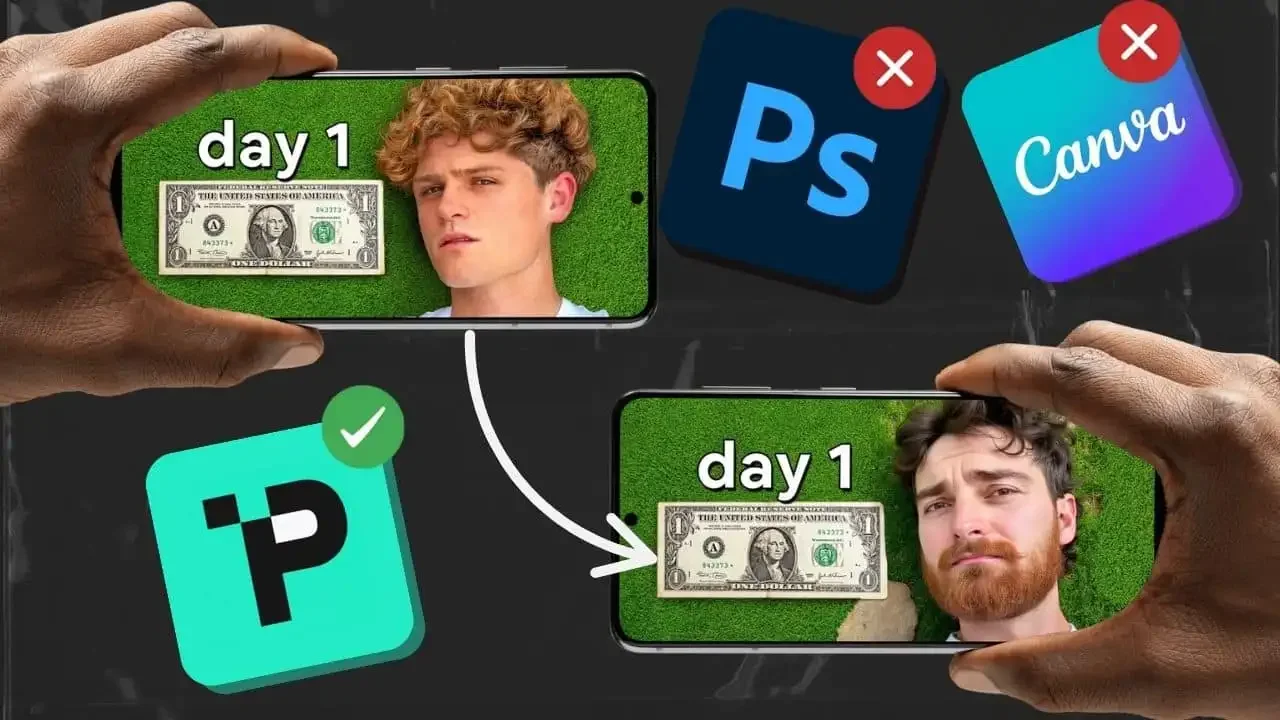
The first reason is speed. Traditional thumbnail creation is a bottleneck. Photoshop takes hours, Canva feels generic and freelancers often delay your uploads. With AI you type your concept and get a ready-to-test thumbnail in seconds. This lets you publish on schedule without your packaging holding back your content.
Significant cost savings
The second reason is cost savings. Hiring a thumbnail designer for every video adds up quickly especially for creators publishing weekly. AI removes that recurring expense while delivering professional results. For growing channels this frees up budget that can go back into content production.
No design skills needed
The third reason is that no design skills are required. You do not need to master layers, masks or typography. With tools like Pikzels you describe what you want in plain language and request adjustments with simple notes. The execution is handled for you which makes professional packaging accessible to everyone.
Fast iteration and testing
The fourth reason is easy iteration. Most creators accept the first thumbnail they produce because making another costs time. With AI generating variations is instant so you can test several angles and keep the strongest. This is how underperformers turn into winners.
Consistency across your channel
The fifth reason is brand consistency. Pikzels lets you upload three photos once to create your Persona and three thumbnails to save your Style. Your face and visual identity then stay consistent across every upload without photoshoots or unpredictable layouts.
Data instead of guesswork
The sixth reason is data-backed decisions. The Pikzels Score analyzes your thumbnail and title across virality, clarity, idea, curiosity and emotion so you understand exactly what is holding your packaging back. The One-Click Fix then applies improvements instantly.
To create thumbnails built for performance visit pikzels.com.
How to Create an AI Thumbnail Step by Step?
Creating an AI thumbnail follows a simple process that takes only a few minutes from idea to finished visual. Here is how to create an AI thumbnail step by step.
Define your video idea and the emotion you want to convey
Write a clear and specific prompt
Generate your thumbnail
Refine it with simple text edits
Apply your Persona and Style for consistency
Score your packaging and fix what is weak
The first step is to define your idea and emotion. Before generating anything decide what single message your thumbnail must communicate and what feeling it should trigger such as curiosity, shock or excitement.
The second step is to write a clear prompt. Describe the subject, the setting, the emotion and the visual atmosphere you want. The more specific your prompt the closer the result will be to your vision.
The third step is to generate your thumbnail. With Pikzels available at pikzels.com your prompt is turned into a ready-to-test thumbnail in seconds. You can also paste a YouTube link to recreate a format that already works with your own edits.
The fourth step is to refine with simple notes. Type what you want adjusted and the thumbnail updates instantly without any design skills.
The fifth step is to apply your Persona and Style so your face and visual identity stay consistent across every video.
The sixth step is to score your packaging. The Pikzels Score reveals exactly what is holding your thumbnail back and the One-Click Fix applies data-backed improvements instantly.
What Makes a Good AI Thumbnail?
A good AI thumbnail is not the prettiest image but the one that earns the click. Performance always comes before aesthetics which is why understanding the criteria that actually drive click-through rate matters more than visual polish.
The first quality is clarity. Your thumbnail must be instantly readable even at small size on a mobile feed. One clear subject, strong contrast and minimal clutter beat a busy composition every time. If a viewer cannot understand it in half a second the thumbnail has already failed.
The second quality is curiosity. The best thumbnails create an information gap that makes viewers need to know more. They show just enough to intrigue without revealing everything which is what turns a passive scroll into a click.
The third quality is emotion. Expressive faces and strong emotional cues stop the scroll because humans are wired to respond to them. Shock, tension, joy or surprise create an immediate connection that a neutral image never will.
The fourth quality is a strong idea. Even a technically perfect thumbnail fails if the underlying concept is weak. The idea must feel compelling and worth clicking on which is why concept always comes before execution.
The fifth quality is consistency. Successful channels are instantly recognizable because their packaging shares a coherent identity across every video.
FAQ on create an AI thumbnails
How do I create an AI thumbnail?
Creating an AI thumbnail is straightforward. Start by defining your video idea and the emotion you want to convey then write a clear and specific prompt describing the subject, the setting and the visual atmosphere. The AI generates your thumbnail in seconds and you can refine it with simple text edits until it matches your vision. Applying a saved Persona and Style keeps your face and visual identity consistent across every video. Finally score your packaging to identify weak points before publishing. With Pikzels available at pikzels.com the entire process takes only a few minutes without any design skills.
Do I need design skills to create an AI thumbnail?
No design skills are required to create an AI thumbnail. Everything works through simple prompts and text-based instructions which means you describe what you want in plain language and the tool handles the execution. You do not need to master layers, masks, typography or any professional design software. If you want to adjust something you simply type what should change and the thumbnail updates instantly. This accessibility is one of the main reasons creators switch to AI thumbnails since it removes the technical barrier that previously required either years of practice or hiring a designer.
Can I use my own face in an AI thumbnail?
Yes you can use your own face in AI thumbnails. With Pikzels you upload three photos of yourself once to create your Persona and you can then reuse your face consistently across all your thumbnails. This eliminates the need for repeated photoshoots and awkward poses for every video. Your face appears naturally in each thumbnail while staying recognizable and on-brand. For creators whose personal presence is part of their channel identity this feature saves considerable time and ensures visual consistency which is one of the key factors that makes a channel instantly recognizable in the feed.
Are AI thumbnails better than generic AI image generators?
Dedicated AI thumbnail tools are built for a different purpose than generic AI image generators. Tools like ChatGPT or standard image models produce aesthetically pleasing images but they have no understanding of click-through rate, of feed readability or of what formats already perform in your niche. A dedicated thumbnail tool focuses on performance rather than aesthetics. It can recreate formats that already work, score your packaging with data-backed feedback across virality, clarity, idea, curiosity and emotion and fix weak spots in one click. This performance-driven approach is what actually turns views into results.
How long does it take to create an AI thumbnail?
Creating an AI thumbnail takes seconds rather than hours. Traditional workflows require lengthy work in Photoshop, generic templates in Canva or waiting on freelancers who may delay your upload schedule. With AI you type your concept and receive a ready-to-test thumbnail almost instantly. Refinements are equally fast since you request changes with simple notes and the thumbnail updates immediately. This speed also allows you to generate multiple variations and test different angles rather than settling for your first idea which is exactly how underperforming videos become winners.
Can AI thumbnails actually improve my click-through rate?
Yes AI thumbnails can genuinely improve your click-through rate when they are built around performance criteria rather than aesthetics alone. A thumbnail that is clear, emotionally engaging, curiosity-driven and instantly readable in a crowded feed will naturally earn more clicks. The advantage of AI is also the ability to iterate quickly and test several concepts which most creators never do because it costs too much time. Combined with data-backed scoring that reveals exactly what is holding your packaging back this approach turns guesswork into a repeatable process. Pikzels users have collectively generated over 7.1 billion views.