The thumbnail is the single highest-leverage asset on YouTube, and most creators still treat it as the last thing they do before hitting publish. The platform works in sequence: it shows your video to a small test audience, measures the click-through rate, then expands or stops. If nobody clicks, the title and thumbnail failed, and nothing else about the video ever gets evaluated. A great video with a weak thumbnail does not underperform. It is never seen.
What has changed going into 2027 is how thumbnails get made. For a decade the choice was between learning Photoshop, paying a designer €20 to €50 per thumbnail, or settling for a template that looks like everyone else's. AI tools have collapsed that trade-off: you can now generate several finished concepts for one video in minutes, compare them side by side, and publish the one that actually earns the click rather than the one you ran out of time to improve.
That shift matters most for the part creators skip: testing. Choosing between three thumbnails you can see is a different decision from committing to the only one you had the energy to build. The tools that win are the ones that make generating alternatives cheap enough to do every time.
This article reviews the 6 best YouTube thumbnail tools of 2027, one per section, with what each actually does, its pricing, its limits and the creator it suits. We start with Pikzels, which is built specifically for YouTube thumbnails rather than adapted from a general design tool, and which is the fastest route from a video idea to several thumbnails worth comparing.
1. Pikzels
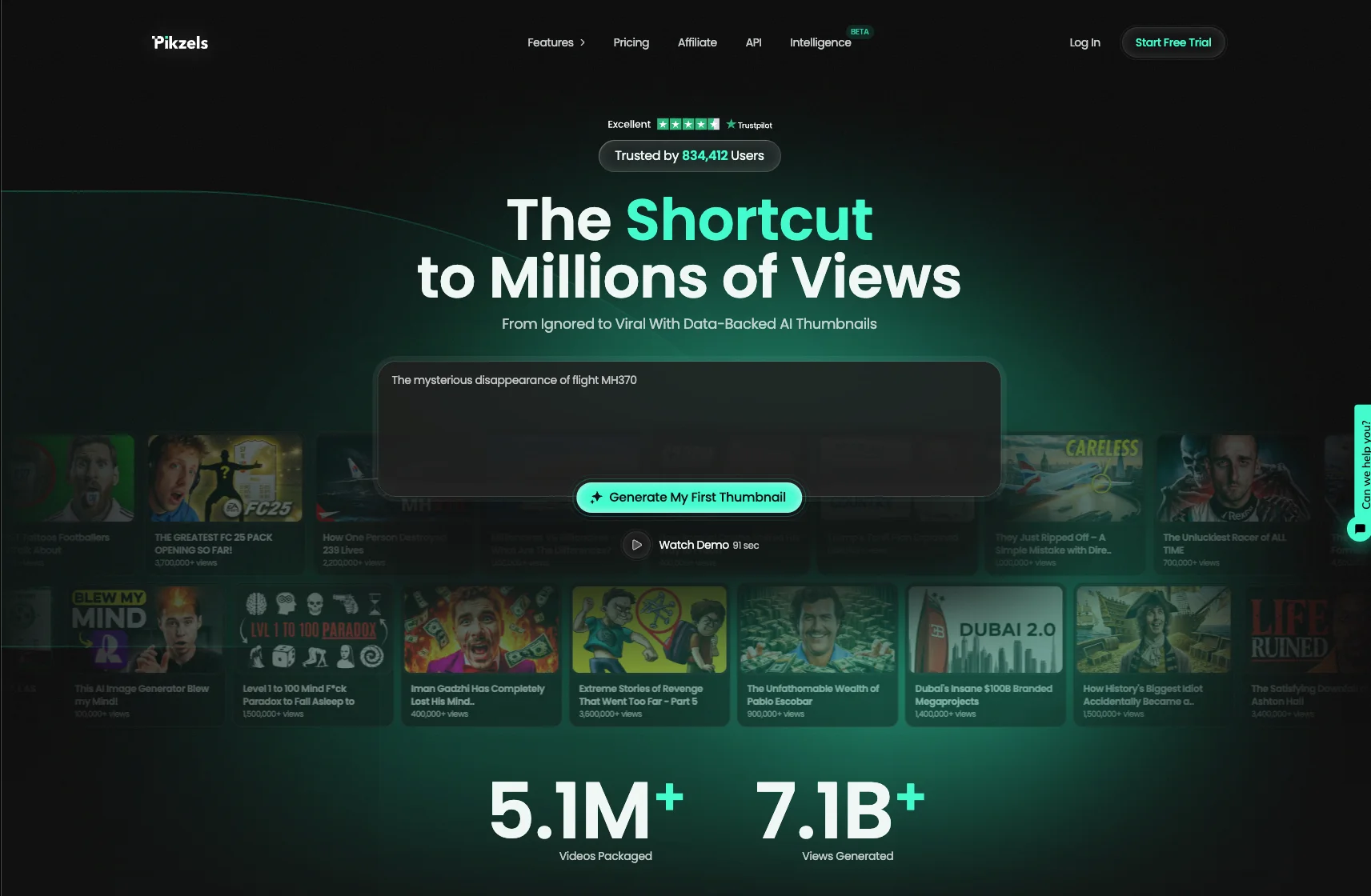
Pikzels is the only tool on this list built for one job: making YouTube thumbnails that get clicked. Everything else here is either a general design app with a thumbnail template or an image generator you have to steer yourself. That focus is what makes the difference in practice, because a thumbnail is not a graphic design problem, it is a click-through rate problem.
The workflow reflects that. You describe your video, and Pikzels generates finished thumbnail concepts built around what actually performs on the platform: a single clear subject, strong contrast, a readable focal point at stamp size, and text limited to the few words that survive a mobile feed. You are not starting from a blank canvas and you are not fighting a prompt: you get usable options in minutes.
Say Goodbye to 10 of 10sTry Pikzels for Free.
Shortcut your way to millions of views.
That speed is what unlocks the habit most creators never build, which is testing. Generating three or four variations for the same video costs you nothing, so the choice becomes visual rather than theoretical. You put the options side by side, pick the one that stops the scroll, and publish that one instead of the only version you had time to make. Over a channel's worth of uploads, that single change does more for growth than any editing upgrade.
Pikzels also covers the other half of the click, since the thumbnail and the title work as a pair. Its title generation sits alongside the thumbnail work, which means you can build the image and the promise together rather than writing a title afterwards to fit a picture. That pairing is exactly where most thumbnails fail: the image and the title repeat each other instead of complementing each other.
The practical argument is cost. A freelance designer charges roughly €20 to €50 per thumbnail and turns it around in a day or two. Pikzels gives you several concepts immediately, for a fraction of that on a monthly subscription, which changes who can afford to iterate at all.
Who it suits: creators publishing regularly who want professional thumbnails without a designer, editors handling several channels, and anyone who wants to test variations rather than guess.
The honest limit: it is specialised. If you also need general graphic design for other formats, you will pair it with something broader.
2. Canva
Canva is the tool most creators already have open, and for thumbnails it remains a legitimate option. The YouTube thumbnail format is preset at 1280x720, there are thousands of templates, and the drag-and-drop editor is genuinely easy for someone who has never used design software. If you want full manual control over every element without learning Photoshop, this is the shortest path.
Its real strengths are breadth and flexibility. Background removal in one click, a large stock library of photos, icons and fonts, brand kits to keep your channel visually consistent, and the ability to produce everything else your channel needs from the same account: channel art, end screens, community posts, Shorts covers, sponsor decks. For a creator running a brand rather than just a channel, that consolidation has real value.
Collaboration is the other argument. Multiple people can work in the same file, comment and share, which matters if an editor or a designer handles your thumbnails while you approve them.
Pricing is accessible. The free tier covers a lot, including the thumbnail format and many templates, while Canva Pro sits in the region of $15 a month or around $120 a year, unlocking premium assets, background removal, brand kits and the magic resize tools. Check the current rate before committing, since Canva adjusts its plans regularly.
The weakness is specific to this use case, and it is twofold. First, templates are used by everyone. A thumbnail built from a popular Canva template is recognisable as one, and looking like the other nine results in a feed is the opposite of what a thumbnail is for. Second, Canva gives you tools, not judgment. It will happily let you build a cluttered thumbnail with four competing elements and six words of text, because nothing in the product knows what performs on YouTube.
That is the clearest difference with Pikzels: Canva hands you a canvas and a library, while Pikzels generates thumbnail concepts built around click-through logic, then lets you compare several in minutes rather than building each one by hand. Canva is the better general design tool; Pikzels is the better thumbnail tool.
Who it suits: creators who want manual control, teams needing one tool for all channel assets, and anyone with a strong visual eye who already knows what their thumbnail should look like.
3. Adobe Express
Adobe Express is Adobe's answer to Canva: a browser-based design tool built for people who do not want to open Photoshop. For thumbnails, it covers the same ground, with the YouTube format preset, a template library, background removal in one click and a drag-and-drop editor that needs no training.
What sets it apart is what sits behind it. Express is connected to the Adobe ecosystem, which means access to Adobe Stock assets, Adobe Fonts, and a workflow that continues into Photoshop or Illustrator when a thumbnail needs work the simple editor cannot do. If you already pay for Creative Cloud, Express is effectively included, and the round trip between tools is seamless. For a creator who occasionally needs real retouching, a precise cutout or a composite image, that path matters.
Its Firefly generative features are the second argument. Text-to-image generation, generative fill to extend or clean up a background, and object removal are built in, with the commercial-use licensing Adobe attaches to Firefly output. For creators worried about using AI imagery in monetised content, that licensing clarity is worth more than it sounds.
Pricing is competitive. A free plan covers the basics including the thumbnail format and background removal, and the premium tier sits in a similar range to Canva Pro, with Creative Cloud subscribers getting access as part of their existing plan. Verify the current rate before subscribing, as Adobe revises its plans frequently.
The limitations mirror Canva's. The interface is less polished than Canva's for pure speed, the template library is smaller, and most importantly nothing in the product understands YouTube. It will let you build a thumbnail that reads perfectly at full size and disappears at stamp size, because it has no notion of click-through rate. You still supply the judgment.
That is where Pikzels takes a different route: instead of giving you a canvas and leaving the thumbnail logic to you, it generates concepts built around what actually earns the click, then lets you compare several versions for the same video. Express is the better tool when you know exactly what you want to build and need precision; Pikzels is the better tool when you want options fast.
Who it suits: creators already inside Creative Cloud, and anyone who values Firefly's commercial licensing on generated imagery.
4. Photoshop
Photoshop remains the ceiling. Every thumbnail style you admire on YouTube, the clean cutouts, the layered depth, the lighting that makes a subject pop off a busy background, the custom typography with its own stroke and shadow treatment, was almost certainly built here. If you want total control over every pixel, nothing else competes.
The capabilities that matter for thumbnails are specific. Precise masking and cutouts give you a subject that sits properly in a composition rather than looking pasted on. Layer styles let you build a text treatment once and reuse it across every upload, which is how channels develop a recognisable visual identity. Camera Raw and adjustment layers let you push contrast and saturation exactly where you need them, which is what actually makes a thumbnail readable at stamp size. And generative fill now handles background extension and object removal natively.
The practical workflow for a serious channel is a template file: your layout, your fonts, your effects, your colour treatment, saved once. Each new thumbnail becomes a matter of swapping the subject and the text, which keeps your channel consistent and brings the production time down to a few minutes.
The cost is twofold. Financially, it requires a Creative Cloud subscription, with the Photography plan being the cheapest route in and the single-app plan costing more. Check current rates, as Adobe revises them regularly.
The real cost is time. Photoshop has a steep learning curve, and reaching the point where you build a good thumbnail quickly takes weeks of practice, not an afternoon. Most creators who try it end up spending an hour per thumbnail, which is unsustainable at two uploads a week, and that time comes directly out of making videos.
There is also a quieter problem: Photoshop is excellent at executing an idea and completely useless at supplying one. It will render a bad concept beautifully.
That is the trade-off against Pikzels, which generates several concepts built around click-through logic in the time it takes to open a Photoshop file. Many creators end up running both: Pikzels to explore and test directions quickly, Photoshop when a specific thumbnail deserves manual finishing.
Who it suits: creators with design skills, channels with a dedicated designer, and anyone building a highly distinctive visual identity.
5. Snappa
Snappa is the stripped-down alternative to Canva, and that is precisely its appeal. It is a cloud-based graphic design tool built around preset dimensions and a small, curated template library, with no feature creep and almost no learning curve. For creators who find Canva bloated, it does the same job with a fraction of the interface.
For thumbnails specifically, the essentials are all there. The YouTube thumbnail format is preset, there is a library of templates and HD stock photography, one-click background removal, custom font uploads and saved folders for reusing your own layouts. If your thumbnail formula is already settled, it takes a couple of minutes per upload.
The pricing is where it earns its place. The Starter plan is free and includes access to all templates, HD photos and graphics, which is rare for a free tier, with the limitation of one user and a maximum of 3 downloads per month. The Pro plan runs $15 per month, unlocking unlimited downloads, social integrations, custom fonts and background removal, or $10 per month billed annually, with a Team plan at $30 per month, $20 annually. Verify current rates before subscribing. wyzowlcapterra
The download cap on the free plan is the thing to watch. Three per month is enough to evaluate the tool, not enough to run a channel, so treat the free tier as a trial rather than a plan.
The limitations follow from the simplicity. The template library and stock catalogue are much smaller than Canva's, there is no video or animation work, and the collaboration features are minimal below the Team plan. And like every general design tool, it has no concept of what performs on YouTube: it builds whatever you tell it to build.
That is where it diverges from Pikzels, which generates thumbnail concepts built around click-through logic rather than handing you a blank canvas, and lets you compare several versions per video in minutes.
Who it suits: creators who want a fast, inexpensive editor with no clutter, and who already know what their thumbnail should look like.
6. Midjourney
Midjourney is the outlier on this list, because it does not make thumbnails. It makes images, and some of the most striking thumbnails on YouTube start as one.
Its strength is visual quality. For stylised, cinematic, illustrated or surreal imagery, Midjourney output is still difficult to match, and that matters on a platform where every thumbnail competes against stock photography and cut-out faces. A genuinely original image stops the scroll because nothing else in the feed looks like it. Gaming, tech, science, storytelling and documentary channels get the most out of it.
The workflow is the catch. Midjourney generates a square or custom-ratio image; it does not know what a thumbnail is. You describe a scene, iterate on the prompt, upscale what you like, then take the result into another tool to crop to 1280x720, add your subject, build the text treatment and check that it still reads at stamp size. It is a two-step process, always.
Prompting is also a real skill. Getting consistent output, keeping a character or style stable across uploads and controlling composition precisely enough to leave space for text all take practice. The gap between a first attempt and a usable thumbnail image is wider than the demos suggest.
Pricing runs on a subscription with generation allowances, starting around $10 a month on the entry tier and rising for faster generation and higher volumes. There is no meaningful free tier. Check current plans before subscribing, since Midjourney adjusts them regularly.
Two further limits are worth knowing. Text rendering remains unreliable, so any wording on your thumbnail should be added afterwards in a design tool rather than generated. And you should check the current commercial-use terms for your plan before putting generated imagery on monetised content.
Compared to Pikzels, the division is clean. Midjourney produces a beautiful image and leaves the thumbnail work to you. Pikzels produces a finished thumbnail built around click-through logic, in the format and at the readability the platform requires. Creators who use both treat Midjourney as a source of original imagery and Pikzels as the production tool.
Who it suits: creators in visual niches who want imagery nobody else has, and who already have a design step in their workflow.