Your Reels cover decides whether someone taps or scrolls, and your grid decides whether they follow. Both are visual decisions made in under a second, which is why the tool you use matters more than most creators assume. So which Instagram thumbnail tools actually earn their subscription?
Four criteria separated the tools in this ranking.
Format accuracy first. Instagram runs several aspect ratios at once, and a tool that exports the wrong dimensions costs you either cropping or quality. Native output removes an entire category of errors.
Visual consistency next, and this is the one creators underestimate. Your audience recognizes your grid before reading a single caption. A tool that rebuilds every visual from scratch produces drift you only notice six months later.
Speed matters because it changes behavior. When a cover takes thirty minutes, you publish your first acceptable attempt. When it takes seconds, you test three and pick the best.
Scoring finally, and almost nothing on this market offers it. Producing an image has become easy. Knowing whether that image earns a tap remains the actual problem.
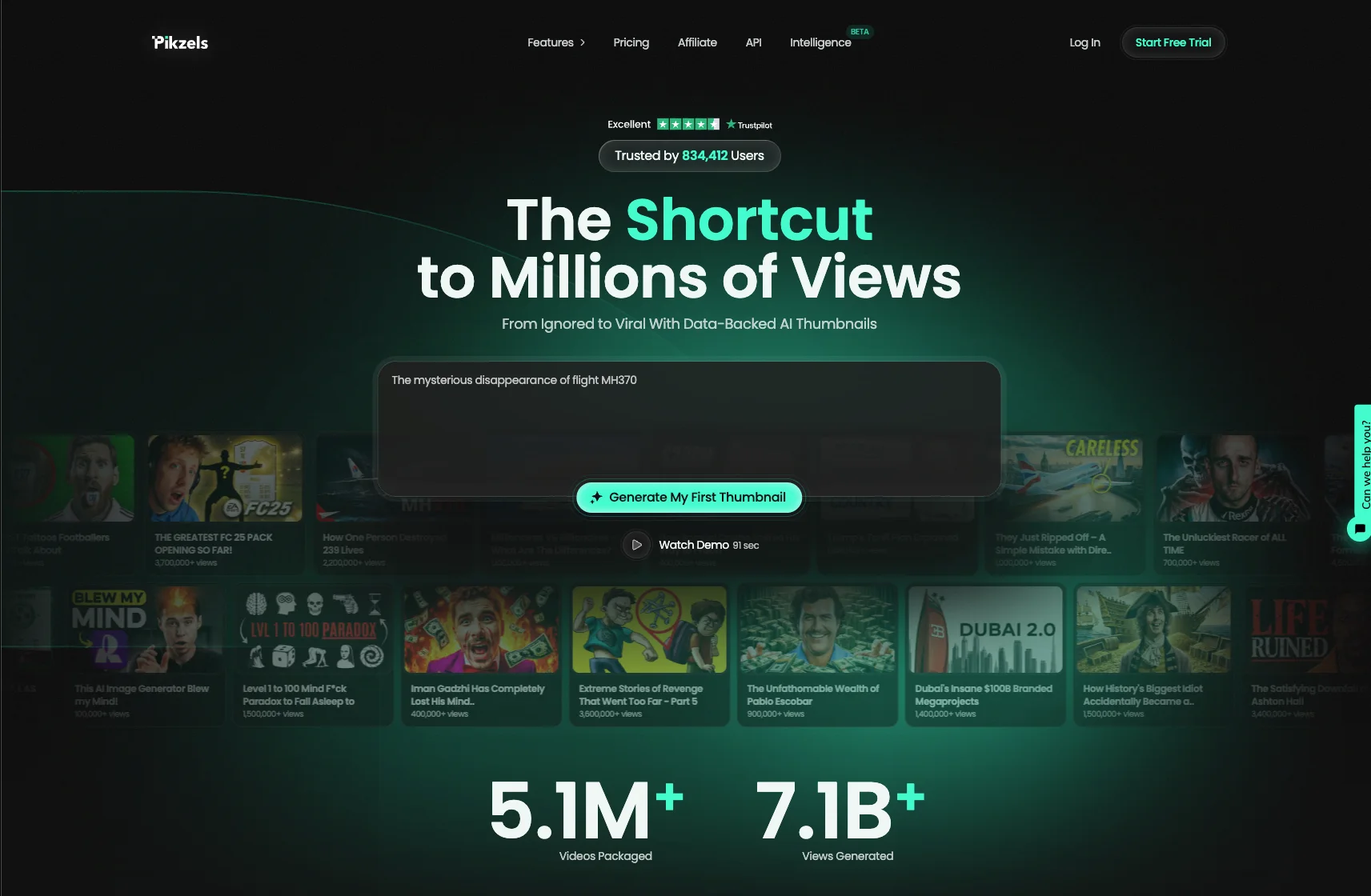
Leading our ranking, Pikzels available at pikzels.com generates your visuals in seconds and scores them before publication across five criteria: virality, clarity, idea, curiosity and emotion. Its Persona feature saves your face from three photos and places it consistently across everything you produce.
With over 5.1 million videos uploaded and 7.1 billion views generated, our service is trusted by creators worldwide.
In this article we reveal the 7 best Instagram thumbnail tools.
1. Pikzels
Pikzels opens this ranking because it solves the problem every other tool on this list ignores: knowing whether your visual will actually earn a tap.
Available at pikzels.com, it was engineered around one objective rather than adapted from a general design platform.
Say Goodbye to 10 of 10sTry Pikzels for Free.
Shortcut your way to millions of views.
The first capability is the Pikzels Score. Every visual you generate is evaluated across five criteria before publication: virality, clarity, idea, curiosity and emotion.
That changes how you work. Without scoring, you publish on instinct and discover the result days later in your analytics. Every post becomes a bet whose outcome you only learn once the algorithm has decided.
With a score, you correct before distribution starts. The One-Click Fix then handles whatever falls short.
The second is Persona. You upload three photos once, and your face is placed consistently across everything you produce afterward. No cutting out to redo, no lighting drift, no angle variation between posts.
That consistency matters more on Instagram than anywhere else. Your audience recognizes your grid visually before reading a single caption, and that recognition builds through sameness rather than variety.
The third is Style. The tool learns your visual identity from your existing content and applies it forward, which means you build your own recognition rather than borrowing a template thousands of creators already use.
The fourth is Recreate. Paste a link to a format that works, and the tool rebuilds the composition with your idea and your visual. You access structures already validated by the market without copying any protected material.
The fifth is speed. Generation takes seconds rather than the fifteen to thirty minutes a manual editor requires.
That difference changes your behavior rather than your schedule. When a visual costs seconds, you produce three variants and pick the strongest. When it costs half an hour, you publish your first acceptable attempt and move on.
Prompt-to-Thumbnail, Edit and Titles complete the toolkit for working your full packaging rather than the image alone.
With over 5.1 million videos uploaded and 7.1 billion views generated, our service is trusted by creators worldwide.
Get started at pikzels.com.
2. Canva
Canva ranks second as the most widely used design platform on this list, and its position rests on breadth rather than specialization.
Its first strength is format coverage. Every Instagram dimension is available as a preset: Reels covers, square posts, portrait posts, stories and carousels. You select the format and start working, which removes the sizing errors that catch beginners using general-purpose tools.
Its second strength is its asset library, holding millions of photos, illustrations, icons and fonts. For a creator without a photographer or a brand kit, this alone justifies the subscription.
Its third strength is brand kit functionality. You define your colors, fonts and logos once, then apply them across every design. This addresses visual consistency, though it requires you to maintain the discipline manually.
Its fourth strength is collaboration. Multiple people can work on the same design, which suits teams and agencies managing several accounts.
Its fifth strength is its free tier, which covers substantial ground before you pay anything. The Pro plan sits around 13 dollars monthly and unlocks premium elements and background removal.
Three limitations explain its ranking.
Its generalist design means it knows nothing about what earns a tap on Instagram specifically. The tool gives you the means to compose a visual. It will never tell you whether that visual works, which leaves you publishing on instinct.
Its production time remains substantial. Composing from scratch takes fifteen to thirty minutes, which in practice means you publish your first acceptable version rather than testing variants.
Its templates are shared. A layout used by thousands of other creators works directly against the visual recognition you are trying to build on your grid.
That last point deserves emphasis on Instagram specifically. Your audience identifies your account by its visual signature, and a recognizable Canva template signals exactly the opposite.
Canva suits creators producing varied visuals across platforms, and it remains genuinely useful for that. For scoring before publication and face consistency, Pikzels available at pikzels.com operates at a different scope.
3. Adobe Express
Adobe Express ranks third as Adobe’s answer to accessible design, built to bring professional tooling to creators without Photoshop training.
Its first strength is image quality. The underlying processing comes from Adobe’s imaging stack, which shows in background removal, upscaling and color handling. Where lighter tools produce visible artifacts around hair and edges, Express handles them cleanly.
Its second strength is Firefly integration. Generative fill, object removal and text effects run on Adobe’s own models, which carry commercial licensing rather than the ambiguous terms many AI tools ship with.
That licensing clarity matters more than creators realize. Using a generated element commercially without clear rights creates exposure most people never check.
Its third strength is its Creative Cloud connection. If you already work in Photoshop or Illustrator, assets flow between applications without export cycles.
Its fourth strength is format presets covering every Instagram dimension, with resizing that adapts a design across ratios rather than cropping it.
Its fifth strength is its free tier, more generous than most competitors, with the premium plan sitting around 10 dollars monthly.
Three limitations explain its position.
Its interface carries Adobe habits. Despite the simplification effort, the logic assumes some familiarity with design software. Creators arriving from Canva frequently find it less immediate.
Its ecosystem value depends on Creative Cloud. Outside that environment, the integration advantage disappears and you are comparing it on features alone, where lighter tools compete well.
Its scope stops at creation, like every general tool on this list. Express produces visuals. It offers no indication of whether a visual will perform, no face consistency across posts and no learning of your visual identity.
That gap is the structural one. Adobe built an imaging tool, not a performance tool, and the distinction shows in what it measures: nothing.
4. Figma
Figma ranks fourth as the outlier on this list. It was built for interface design, not social content, and that origin explains both its strengths and its limits here.
Its first strength is precision. Pixel-level control, auto layout, constraints and component systems give you a degree of accuracy no social-first tool offers. If your grid depends on exact alignment across posts, nothing else comes close.
Its second strength is component reuse. You build a cover template once as a component, then produce variations that all inherit the original structure. Change the master, every instance updates.
For a creator publishing daily, this turns design into a production system rather than a repeated craft exercise.
Its third strength is collaboration in real time. Multiple people work in the same file simultaneously, with commenting and version history. Agencies managing several accounts rely on this heavily.
Its fourth strength is its free tier, genuinely usable for a solo creator, with paid plans starting around 15 dollars per editor monthly.
Its fifth strength is the plugin ecosystem, which covers image handling, content population and export automation.
Three limitations place it here rather than higher.
Its learning curve is the steepest on this list. Frames, constraints, auto layout and components are design concepts, not creator concepts. Expect days rather than hours before producing work you are satisfied with.
Its asset library is empty. Figma ships no photos, no illustrations and no icons. You bring everything or install plugins to source it, which adds friction Canva removed years ago.
Its scope excludes everything beyond creation. No scoring, no face consistency, no learning of your visual identity, no performance indication whatsoever.
That gap matters particularly here, because Figma’s precision invites you to perfect a design that may not work at all. Pixel-perfect alignment on a concept nobody taps is wasted effort executed beautifully.
Figma suits designers and teams building systematic visual systems. For creators who need to know whether a visual performs, Pikzels available at pikzels.com answers the question Figma was never built to ask.
5. VistaCreate
VistaCreate ranks fifth as a direct Canva alternative, positioned on social media content specifically rather than general design.
Its first strength is its animation library. Where most tools on this list treat motion as an afterthought, VistaCreate ships animated templates, transitions and effects designed for Stories and Reels covers.
For a creator producing motion content regularly, this focus saves meaningful time compared to animating manually elsewhere.
Its second strength is format coverage. Every Instagram dimension appears as a preset, with resizing that adapts a design across ratios rather than cropping it.
Its third strength is its asset library, holding millions of photos, videos, vectors and audio tracks. Including video and audio differentiates it from tools that cover still imagery only.
Its fourth strength is pricing. The paid tier sits around 10 dollars monthly, slightly below Canva Pro, with a free plan covering basic needs.
Its fifth strength is brand kit functionality, letting you store colors, fonts and logos for consistent application.
Three limitations explain its position.
Its template quality varies noticeably. The library is large, but the proportion of genuinely usable designs runs lower than Canva’s, which means more time spent browsing and less producing.
Its ecosystem is smaller. Fewer integrations, fewer plugins and a smaller community mean less support when you hit a limitation. Canva’s scale produces tutorials, templates and workarounds that VistaCreate lacks.
Its scope stops at creation, like every general tool here. VistaCreate produces visuals without any indication of whether they perform, any face consistency across posts or any learning of your visual identity.
One additional point deserves stating. Its shared templates carry the same problem as Canva’s. A recognizable layout used by thousands of creators works against the visual signature your grid depends on.
6. Snapseed
Snapseed ranks sixth as the only pure photo editor on this list, and it earns its place for one reason: your source image matters more than your layout.
Its first strength is selective editing. The Selective tool lets you adjust brightness, contrast and saturation on specific areas rather than the whole image. Brightening a face without blowing out the background takes seconds, and that single capability improves more covers than any template.
Its second strength is its Healing tool, which removes distracting elements cleanly. A stray object in frame, a blemish, a logo you cannot use: all handled without the artifacts cheaper editors leave behind.
Its third strength is Curves and Tune Image, which give you genuine control over tone. Most creators underestimate how much a properly graded photo outperforms a flat one in a feed.
Its fourth strength is that it is completely free. No subscription, no watermark, no export limit. Google acquired the app and has maintained it without monetizing users.
Its fifth strength is offline operation, useful when you edit on the move.
Three limitations explain its position.
Its scope excludes composition entirely. Snapseed edits photographs. It adds no text, no graphics, no layout and no design elements. You will need a second tool for anything beyond the image itself.
Its mobile-only availability constrains workflow. There is no desktop version, which means importing and exporting between devices if you work on a computer.
Its development has slowed considerably. Updates are infrequent, and newer AI capabilities appearing elsewhere have not arrived here.
One honest note on how to use it. Snapseed works best as a first step rather than a complete solution. Grade your photo here, then compose elsewhere.
That workflow produces better results than either tool alone, though it adds a step most creators skip.
7. Later
Later closes this ranking as the only scheduling platform on the list, and its inclusion rests on one feature the others lack entirely: seeing your grid before you publish.
Its first strength is visual planning. The drag-and-drop calendar shows your Instagram feed as it will appear once posted, which lets you arrange upcoming content for visual coherence rather than discovering clashes after the fact.
For a creator who cares about grid aesthetics, this preview solves a problem no editing tool addresses.
Its second strength is scheduling itself. Posts, Reels and Stories publish automatically at times you define, which removes the requirement to be available at your optimal posting window.
Its third strength is its Link in Bio tool, turning your grid into a clickable landing page. For creators monetizing through affiliate links or products, this consolidation matters.
Its fourth strength is analytics, showing which posts performed and when your audience engages most.
Its fifth strength is user-generated content collection, which simplifies sourcing and crediting customer photos.
Three limitations explain its position.
Its editing capability is minimal. Later schedules and organizes. It does not create. Basic cropping and filters exist, but you arrive with finished visuals produced elsewhere.
Its pricing starts around 25 dollars monthly, above most tools on this list, and scales with social sets and users.
Its analytics are retrospective. They tell you what performed after the fact, which is useful for patterns and useless for the decision in front of you.
That last point deserves emphasis. Knowing a post underperformed three days later does not help you improve the one you are about to publish, and this gap separates measurement from scoring.
One practical note: Later complements the other tools rather than replacing any of them. Create elsewhere, plan and schedule here.